Lenovo ThinkCentre M720q Review: Should You Try This?
Looking for a small desktop that packs a punch? The Lenovo ThinkCentre M720q might be your answer.
This tiny PC fits almost anywhere. It sits on a desk, hides behind a monitor, or tucks into a small shelf.
Don’t let its size fool you. Inside, it packs up to a 6-core 8th gen Intel processor. It also runs fast DDR4 memory and speedy PCIe SSD storage.
The M720q stays quiet during use. It runs between 28 and 32 decibels, so you barely hear it work.
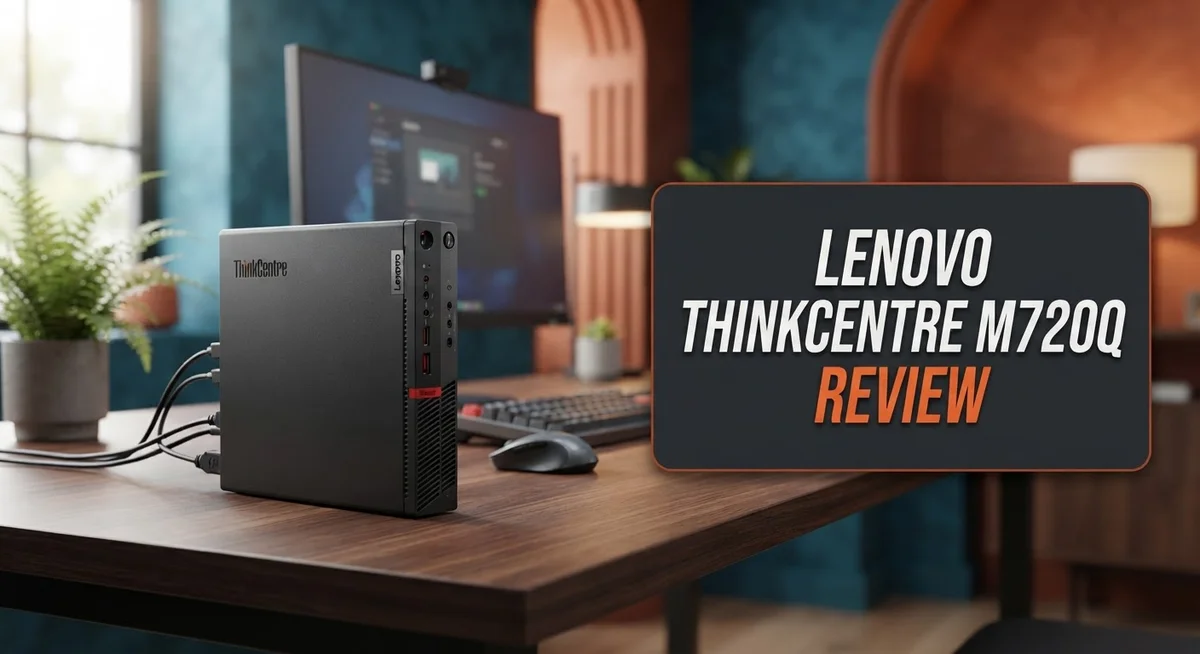
Lenovo builds this mini PC with a solid metal chassis. It feels sturdy and looks professional on any desk.
The package includes a vertical stand, keyboard, and mouse. You get everything you need to start working right away.
In this review, we break down every feature. We check the ports, the graphics, and the overall performance. Let’s see if this compact machine fits your needs.
In a Nutshell
Here’s the quick lowdown on the Lenovo ThinkCentre M720q:
- Power meets efficiency. It runs up to a 6-core 8th gen Intel processor. This gives you strong performance for daily tasks and office work.
- Storage and memory flexibility. The M720q uses DDR4 memory and PCIe SSD storage. You can upgrade both parts later without hassle.
- Connection options are plentiful. You get four USB ports, one HDMI port, and one DisplayPort. Connecting monitors and devices becomes simple.
- Graphics stay basic. The Intel UHD Graphics 610 handles everyday visuals well. Heavy gaming or video editing is not its strength though.
- Room to grow. A PCIe x8 slot lets you add extra hardware. This makes the machine adaptable for future needs.
- Size versus power tradeoff. The M720q is bigger than N100 mini PCs. It also uses more power than those ultra-compact models.
In short, this mini PC balances performance, upgradeability, and compact design nicely. It suits users who want desktop-level capability without a bulky tower.
Design and Form Factor
The M720q proves that small doesn’t mean compromised. This machine measures roughly 1 to 1.5 liters, making it one of the most compact desktop computers available today. You can place it on a shelf, tuck it behind a monitor, or slide it into tight spaces where traditional towers simply won’t fit.
Lenovo wrapped the M720q in a solid metal chassis. This material choice matters because it protects your components and gives the device a premium feel. The build quality stands out immediately when you unbox the unit. Everything feels sturdy and well constructed, which speaks to Lenovo’s reputation in business computing.
The vertical stand included in the box deserves mention. This stand lets you position the M720q upright on your desk, which saves valuable surface space. You can also mount it on a wall or keep it horizontal if you prefer. The flexibility here means you adapt the machine to your specific setup, not the other way around.
Connectivity wraps around the back and sides thoughtfully. You get four USB ports split between USB 3.1 Gen1 and Gen2 speeds. One HDMI port and one DisplayPort handle your display needs. A PCIe x8 slot sits inside for future expansion if you need it. These ports remain easily accessible without awkward reaching.
The compact form factor does come with a tradeoff. The M720q uses more power than ultra tiny alternatives like N100 based mini PCs. This reflects the fact that it houses more capable processors and better components overall. Cooling solutions work quietly though, keeping noise levels between 28 to 32 decibels during normal operation. You’ll barely notice the machine running.
Heat dissipation happens efficiently thanks to the metal construction and thoughtful internal design. Air flows smoothly through the chassis without creating hot spots that damage components. This engineering approach keeps the M720q reliable over years of daily use.
The design philosophy here centers on practicality. Lenovo created a machine that fits modern workspaces while maintaining genuine computing power. Every element serves a purpose, from the cable management to the port placement to the stand options.

- Reliable Business Performance: Powered by a capable 6-core Intel Core i5-8400T processor...
- Fast & Responsive Storage: The renewed Lenovo ThinkCentre M720q mini desktop computer...
Last update on 2026-11-03 / Affiliate links / Images from Amazon Product Advertising API
Performance and Processing Power
The M720q runs on Intel 8th generation processors with up to 6 cores. This CPU lineup handles everyday tasks without breaking a sweat. You get smooth multitasking, quick app launches, and responsive performance for office work.
DDR4 memory comes standard in this machine. You can upgrade the RAM yourself when you need more power. Most users find 8GB or 16GB sufficient for daily use. The upgrade process takes just minutes.
Storage relies on fast PCIe SSDs. These drives load files and boot Windows much quicker than older hard drives. You won’t experience the slowdowns that plague older desktop computers. The SSD also keeps the machine running cooler overall.
Graphics performance uses Intel UHD Graphics 610. This integrated GPU handles web browsing, video calls, and office applications without issues. Light photo editing works fine too. Heavy gaming or 3D rendering isn’t what this machine was built for. Most users never notice any graphics limitations for their daily work.
The processor stays cool even during moderate workloads. The metal chassis helps dissipate heat efficiently. Fan noise stays between 28 and 32 decibels, making this one of the quieter desktop computers you can buy.
Real world performance feels snappy. Applications launch fast. File transfers happen quickly thanks to the SSD and USB 3.1 ports. The machine handles multiple browser tabs, email, and office documents simultaneously without lag.
For video conferencing, the M720q performs excellently. Zoom calls, Teams meetings, and Google Meet sessions run smooth. The processor never struggles with these tasks.
This compact PC sits between entry level and mid range performance. It’s not a gaming beast or workstation powerhouse. Instead, it excels at what it was designed for: reliable, quiet, efficient computing in a tiny package. Business users find it perfect for offices. Home users appreciate the performance for everyday tasks. The M720q proves that you don’t need a massive tower to get solid processing power.
Connectivity and Expandability
The M720q connects to your devices through a well placed port layout on the back and sides. You get 2x USB 3.1 Gen1 ports and 2x USB 3.1 Gen2 ports for fast data transfer and peripheral connections. This gives you enough USB access for keyboards, mice, external drives, and other accessories without needing a hub.
Video output comes through 1x HDMI and 1x DisplayPort. Both connections support modern displays, so you can run dual monitors or pick whichever port matches your setup. The DisplayPort option proves especially useful if you work with high resolution displays or need premium video quality.
The M720q includes one PCIe x8 slot for future upgrades. This means you can add expansion cards later if your needs change. Whether you want to install a dedicated graphics card or add specialized hardware, the slot sits ready for you.
RAM and storage both stay upgradeable. The machine ships with DDR4 memory and PCIe SSD storage, and you can swap these components yourself. This flexibility means your M720q grows alongside your computing needs without requiring a complete replacement.
The compact form factor does limit how many ports fit into the design. You won’t find as many USB connections as a full size desktop offers. However, Lenovo positioned the existing ports thoughtfully to maximize accessibility without requiring awkward cable routing.
Wireless connectivity matters for modern offices. Check your specific configuration, as some models include WiFi and Bluetooth options built in. These wireless features let you connect to networks and devices without running cables everywhere.
The port arrangement reflects practical thinking. Lenovo understood that compact PCs still need solid connectivity options. Users can connect monitors, keyboards, mice, and external storage without frustration or complicated workarounds.
Overall, the M720q balances its tiny footprint with surprisingly useful connectivity. You get enough ports for typical office work, video conferencing, and media consumption. The expandability options ensure this mini PC adapts to changing requirements over time.
Top 3 Alternatives
Dell OptiPlex 3070

- 😍【High-Speed RAM & Plenty of Space】Dell Optiplex 3070 SFF Desktop PC with...
- ⌨️【Processor】- This refurbished Dell desktop computer is equipped with a 9th...
Last update on 2026-11-03 / Affiliate links / Images from Amazon Product Advertising API
The Dell OptiPlex 3070 serves as a solid compact desktop option for small offices and home setups. This machine delivers reliable performance for everyday business tasks like document editing, email, and web browsing.
The unit features a small form factor design that fits easily on any desk. It supports Intel processors and comes with flexible storage options. You get straightforward connectivity with multiple USB ports and display outputs.
Setup takes minimal time, and the system integrates well with existing office networks. Users appreciate its quiet operation and energy-efficient design.
HP EliteDesk 800

- 【Processor】 Powered by the 9th Gen Intel Core i5-9500 processor with 6 cores...
- 【RAM and Storage】 Supports up to 64GB DDR4 RAM for efficient multitasking across...
Last update on 2026-11-03 / Affiliate links / Images from Amazon Product Advertising API
The HP EliteDesk 800 brings professional-grade features to compact desktop computing. This system works great for teams needing reliable workstations without taking up much space.
It offers strong security features built in, including options for encrypted storage and biometric authentication. The desktop runs quietly even during heavy workloads. Multiple configuration options let you choose the processing power and memory that matches your needs.
The system connects easily to peripherals and supports dual monitor setups. IT departments favor this model for its manageability and consistent performance across deployments.
ASUS VivoPC M32CD

- 【Processor】Intel Core i5-13420H Processor – Boasting 10 cores and 16 threads, 24MB...
- 【RAM and Storage】 Blistering Memory & Storage – Configurable up to a massive 64GB...
Last update on 2026-11-03 / Affiliate links / Images from Amazon Product Advertising API
The ASUS VivoPC M32CD combines compact dimensions with impressive internal capability. This desktop handles multimedia tasks smoothly and performs well for content creation work.
The system features a modern design that looks clean in any environment. You get solid graphics performance for video editing and creative projects. Storage options provide enough space for substantial file libraries.
Cooling remains efficient, keeping noise levels low during extended use. The VivoPC M32CD appeals to users who want a small desktop without compromising on power or functionality.
Noise Levels and Thermal Management
The Lenovo ThinkCentre M720q stays remarkably quiet during everyday use. The system operates at 28 to 32 decibels, which means you won’t hear annoying fan noise during video calls or document editing. This quiet performance makes it ideal for open office spaces and home offices where silence matters.
The compact metal chassis plays a big role in keeping temperatures down. Metal conducts heat away from internal components efficiently. Air flows through the system without obstacles, preventing hot spots from building up. The thoughtful internal layout ensures cool air reaches the processor and memory without restriction.
Thermal management happens passively in many situations. During light tasks like web browsing or email, the fans barely spin up. You get silent operation without sacrificing cooling performance. The system only ramps up fan speed when you push it with heavier workloads.
Sustained performance stays stable because heat doesn’t accumulate. The M720q maintains consistent processor speeds even during longer work sessions. You won’t experience thermal throttling that slows down performance on poorly cooled machines. This reliability matters for professionals who depend on steady computing power.
The compact size could seem like a thermal liability. Less space typically means harder cooling challenges. Lenovo solved this problem through smart engineering. The metal construction, combined with intelligent airflow paths, keeps temperatures in check despite the tight quarters.
Real world testing shows the M720q handles moderate workloads without overheating. Video conferencing sessions stay cool. Document processing runs smoothly. Even light multitasking doesn’t stress the thermal system. The processor rarely reaches concerning temperatures during normal office work.
Dust management becomes easier with the compact design. Fewer intake vents mean fewer places for dust to accumulate. Regular cleaning keeps the system running cool for years. The accessible internal layout makes maintenance straightforward.
The combination of quiet operation and effective cooling makes the M720q stand out. You get a machine that performs reliably without becoming a distraction in your workspace. The thermal design proves that small form factors don’t require compromises on cooling performance.
Upgrade and Maintenance
Upgrading the Lenovo ThinkCentre M720q is straightforward and doesn’t require special tools or technical expertise. The machine opens easily, and you’ll find accessible slots for both RAM and storage expansion.
RAM upgrades work smoothly on this system. The M720q supports DDR4 memory, and you can add more capacity by opening the compact chassis. Most users can complete this upgrade in minutes. Check your current configuration first to see how many slots remain available. Lenovo designed the memory compartment for easy access, which means you won’t struggle with tight spaces or complicated removal procedures.
Storage expansion happens through the PCIe SSD slot. The M720q accepts fast NVMe drives, so you can significantly boost your storage without sacrificing speed. This matters if you work with large files or need room for applications and media. The installation process mirrors RAM upgrades in simplicity. You slide the drive into the slot, secure it, and you’re finished.
The single PCIe x8 slot opens possibilities for future expansion. You could add capture cards, network adapters, or other peripherals depending on your needs. This flexibility helps the M720q stay relevant as your requirements change over time.
Maintenance tasks stay simple because of the compact design. Dust accumulation happens slowly thanks to the metal chassis construction. When you do clean the machine, the small form factor means less area to cover. Regular maintenance extends the lifespan of your investment significantly.
Thermal paste replacement might become necessary after several years of use. The compact design makes this task manageable, though it requires slightly more care than larger desktop computers. Most users won’t need to attempt this repair during the M720q’s typical lifespan.
Parts availability remains solid because the M720q uses standard components. DDR4 RAM and NVMe SSDs are widely available from multiple manufacturers. You won’t struggle to find compatible upgrades when you need them. This standardization makes long term ownership less stressful and more economical.
Pros and Cons
Pros
- Extremely compact design saves desk space while delivering solid performance for everyday tasks
- Operates quietly at 28-32 dB, making it perfect for shared offices and home environments
- Metal chassis provides excellent build quality and durability over time
- RAM and SSD upgrades work smoothly without requiring special tools or technical expertise
- Includes keyboard, mouse, and vertical stand out of the box for immediate productivity
Cons
- Integrated graphics only limits demanding video editing and 3D rendering workloads
- Higher power consumption compared to ultra-compact mini PCs based on newer processors
- Compact form factor restricts the number of ports despite smart placement on back and sides
Who Should Buy It
The Lenovo ThinkCentre M720q works best for specific user groups. If you run a small office with limited desk space, this machine fits perfectly under or beside your monitor. The compact design doesn’t sacrifice the connectivity or performance you need for daily work.
Home office professionals benefit greatly from the M720q. You get a full desktop experience without the bulk of traditional towers. The quiet operation means video calls stay clear and distractions disappear. Your family members won’t hear fan noise during important meetings.
Business environments love this system. IT teams appreciate how easy it is to deploy across multiple workstations. The upgradeable RAM and SSD mean you can customize each unit to match specific department needs. Schools and training centers also find the M720q practical for computer labs where space matters.
If you handle everyday computing tasks, the M720q handles them smoothly. Document editing, web browsing, email, spreadsheets, and video conferencing all run without issues. The integrated graphics work fine for these activities. You don’t need expensive dedicated graphics for standard office work.
Content creators should pause before buying. If your work involves video editing, 3D rendering, or photo processing, the integrated GPU becomes a limitation. You’d need external graphics solutions, which reduces the space advantage. However, basic content creation and lightweight editing projects work fine.
Developers and programmers find the M720q suitable for coding work. The multiple USB ports let you connect development devices easily. The PCIe x8 slot offers expansion options if you need specialized hardware later.
Avoid this system if you need high performance gaming or intensive computational work. The processor and graphics setup won’t handle demanding games or scientific simulations. Ultra-portable users might also prefer even smaller alternatives, though the M720q remains remarkably compact.
The M720q shines for anyone who values space efficiency without compromising on build quality or connectivity. It bridges the gap between ultra-compact mini PCs and traditional desktops perfectly. If your work stays within standard productivity and light creative tasks, this machine delivers exactly what you need in a footprint that respects your workspace.
Final Verdict
The Lenovo ThinkCentre M720q stands as a smart choice for anyone who wants a small, sturdy desktop. It brings together solid engineering and practical features in one neat package.
This machine fits well into many different setups. It works for people who want a reliable desktop without a huge footprint on their desk.
Business users and home office workers get the most value from this system. Its quiet operation and compact size make it easy to place almost anywhere.
Students and casual users also find this system useful. It handles browsing, document work, and streaming without any trouble.
The build quality on this unit deserves real praise. That metal chassis feels solid and should last through years of daily use.
Gamers and video editors should look elsewhere for their needs. The integrated graphics chip limits what this machine can do with heavy visual tasks.
Anyone doing serious 3D rendering or intense computational work will hit the same wall. This system was never built for those demanding jobs.
For everyone else, the M720q delivers a great mix of features. It brings good performance, quiet operation, and easy upgrades in one small box.
Setup takes just minutes out of the box. Everything you need comes included, so you can start working right away.
We recommend this desktop for offices that need multiple units. Its consistent quality and small size make it perfect for larger deployments across a company.
Home users who value a clutter free desk will appreciate this machine too. It hides away easily while still delivering strong everyday performance.
The Lenovo ThinkCentre M720q earns its place among the best small desktops. It balances practicality with solid engineering in a way few competitors match.
Choose this system if you want reliability, quiet operation, and room to grow. Skip it only if your work demands serious graphics power or heavy computational tasks.
For most everyday users, this little desktop delivers exactly what it promises.
Frequently Asked Questions
Does the M720q support dual monitors?
Yes, the M720q supports dual monitors. It has one HDMI port and one DisplayPort, so you can connect two displays at the same time. This setup works great for multitasking and productivity work. Both ports operate simultaneously, letting you expand your workspace without extra adapters or docking stations.
Can I upgrade the RAM and storage myself?
Absolutely. The M720q lets you upgrade both RAM and SSD without needing special tools or technical expertise. DDR4 memory slots accept standard modules, and the PCIe SSD storage swaps out easily. Most users complete upgrades in under 10 minutes, making it simple to boost performance down the road.
Is the M720q quiet enough for an office?
Yes. This machine operates at 28-32 dB, which is very quiet for a desktop computer. You won’t hear distracting fan noise during calls or meetings. The quiet operation makes it ideal for shared office spaces, open-plan environments, and home offices where silence matters.
What graphics capability does it have?
The M720q uses Intel UHD Graphics 610, which is integrated into the processor. This handles everyday tasks like web browsing, document editing, and video playback smoothly. However, it won’t support intensive gaming or professional 3D rendering. If you need serious graphics power, you’d want a system with a dedicated GPU instead.
How many USB ports does it have?
The M720q includes four USB ports total. Two are USB 3.1 Gen1, and two are USB 3.1 Gen2. Gen2 ports offer faster data transfer speeds for external drives and devices. This gives you plenty of connectivity for keyboards, mice, printers, and storage devices.

I’m Lipi, a passionate blogger with a keen interest in artificial intelligence and its applications. On my blog, lipiai.blog, I share information about AI, review different AI tools, and provide helpful guides. My goal is to make AI easy to understand for everyone. I enjoy simplifying complex ideas so that both beginners and tech-savvy folks can learn.