Dell OptiPlex 7060 Micro Review: Is It Worth Your Money?
Looking for a small desktop that saves space but still gets work done? The Dell OptiPlex 7060 Micro might be your answer.
This mini PC packs a punch in a tiny body. It fits on your desk, behind a monitor, or even under a table.
Dell built this machine for people who want performance without the bulk. You can choose between an Intel Core i7-8700 or an i3-8100T processor. Both options bring reliable power for daily tasks.
The 7060 Micro supports up to 32GB RAM and offers 1TB NVMe SSD storage. This means fast boot times and smooth multitasking.
Business owners and home users alike will enjoy its quiet operation. The compact design also makes it easy to mount almost anywhere.
Is this little machine right for your setup? We tested the Dell OptiPlex 7060 Micro to find out.
This review covers everything you need to know. We look at its specs, real world performance, and how it stacks up against similar machines.
By the end, you will know if this micro PC deserves a spot on your desk.
In a Nutshell
Here’s a quick summary of what makes this micro PC stand out.
-
Space saving design: The 7060 Micro fits almost anywhere. You can mount it behind a monitor or tuck it on a shelf. It barely takes up any desk room.
-
Solid processor options: Choose between the i7-8700 for heavy tasks or the i3-8100T for basic work. Both chips handle daily tasks smoothly.
-
Simple upgrades: Dell made this machine tool less. You can swap drives or add parts without hunting for a screwdriver.
-
Built to last: The build quality feels sturdy and reliable. This isn’t a flimsy mini PC that breaks down fast.
-
Energy efficient: With a 65W TDP, this machine sips power. Your electricity bill stays happy, and the unit stays cool.
-
A few tradeoffs exist: The audio quality feels weak out of the box. Base storage also runs low, so plan your storage needs early.
Overall, this micro PC delivers big performance in a small package. It suits offices, home setups, and anyone who wants a clutter free desk.
Design and Form Factor
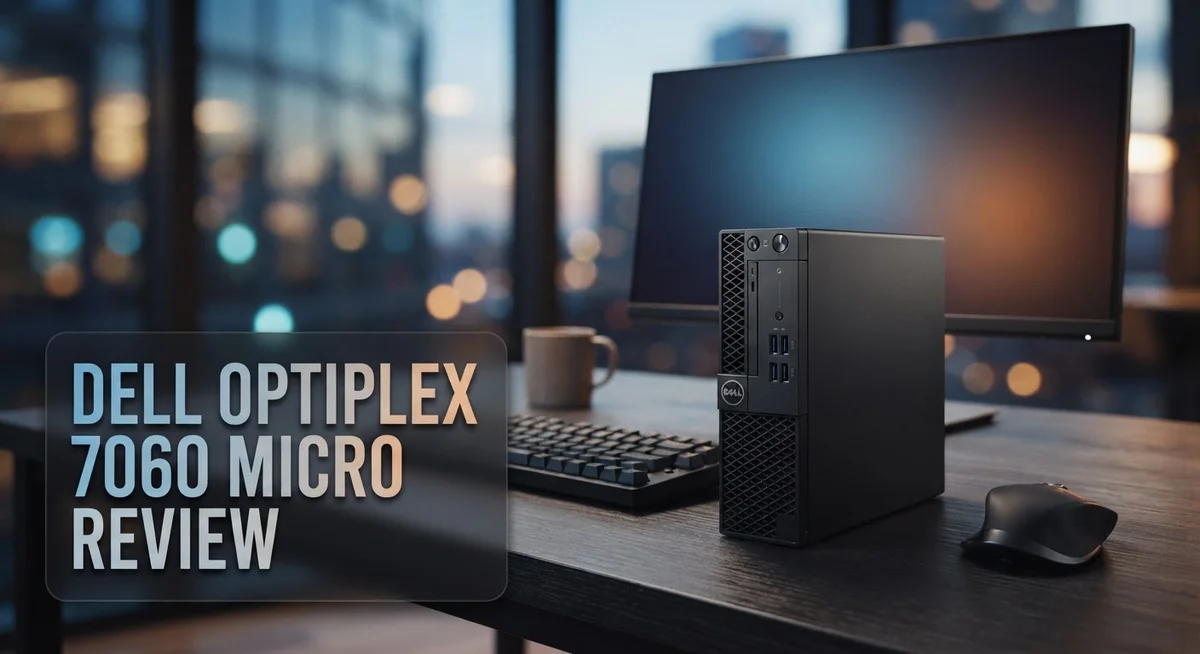
The Dell OptiPlex 7060 Micro lives up to its name. This compact machine measures just 1.3 liters, making it one of the smallest desktops on the market. You can mount it behind a monitor, tuck it under a desk, or place it on a shelf without taking up valuable workspace.
The build quality impresses from the moment you unbox it. Dell used durable materials throughout the chassis. The plastic feels solid, not cheap. The seams align properly, and nothing rattles when you move it around.
Cable management remains simple despite the tight quarters. All ports sit on the back and front panels in logical spots. You won’t struggle to connect your peripherals or hunt for USB ports. The front panel includes two USB 3.0 ports for quick access to external drives or devices.
Thermal design deserves special mention. The fanless or ultra-quiet cooling system keeps noise levels minimal. You barely hear this machine running, even during sustained workloads. This makes it perfect for quiet offices, libraries, or home studios where silence matters.
The base sits flat and stable. Four rubber feet prevent sliding on smooth surfaces. The machine won’t tip over easily, even in cramped spaces. You can also wall mount it using the standard VESA bracket, which opens up creative placement options.
Tool less design extends to internal upgrades too. Opening the chassis requires no screwdrivers. You can swap the SSD or add more RAM without special tools or technical skills. This accessibility means you won’t need to visit a repair shop for simple upgrades.
The power brick is modest in size. Unlike bulky gaming PC PSUs, this adapter won’t monopolize outlet space. The 65W TDP keeps energy consumption low, so your electricity bills stay reasonable.
One minor drawback: the compact design limits cooling options. Airflow is restricted compared to full size towers. However, Dell engineered this well enough that thermals stay under control during normal office work. Heavy video editing or rendering might push temperatures higher, but typical business tasks run cool and quiet.

- Get reliable performance from the Intel Core i5-8500T 2.1GHz processor.
- 16GB DDR4 memory - For multitasking power.
Last update on 2026-11-03 / Affiliate links / Images from Amazon Product Advertising API
Processor and Performance
The Dell OptiPlex 7060 Micro gives you two processor options that serve different needs. The Intel Core i7-8700 rocks 6 cores and 12 threads. It runs up to 4.6GHz and keeps power consumption low at 65W. This chip handles multitasking, video editing, and demanding software without breaking a sweat.
The Intel Core i3-8100T offers a lighter alternative. It features 4 cores and 4 threads running at 3.1GHz. This processor works great for everyday tasks like email, web browsing, and office documents. It consumes just 35W, making it even more energy efficient than the i7 option.
Both processors integrate Intel UHD 630 graphics. You get smooth video playback and basic graphics work. Heavy gaming or 3D rendering requires a dedicated GPU, but the integrated graphics handle most business applications without issues.
Real world performance feels snappy across both configurations. The i7-8700 excels when you need sustained performance under load. Applications launch quickly. Files open instantly. Switching between multiple programs happens without lag. The i3-8100T handles light workloads smoothly too. You notice the difference mainly when running heavy software simultaneously.
The 65W TDP on the i7 keeps heat output minimal. This micro PC stays quiet even during intensive work. The compact chassis doesn’t need aggressive cooling fans. You get a peaceful working environment without constant noise.
RAM options go up to 32GB, which pairs well with either processor. More RAM means better multitasking performance. The i7-8700 truly shines with 16GB or 32GB installed. Even the i3-8100T benefits from extra memory when you run many browser tabs or applications together.
Storage speed matters too. The 1TB NVMe SSD options deliver fast boot times and quick file transfers. Applications load rapidly. System responsiveness feels immediate. This speed boost complements both processors nicely.
The processor choice depends on your actual workload. Choose the i7-8700 if you run demanding software regularly. Pick the i3-8100T for basic computing tasks. Either way, you get reliable performance in an incredibly compact form factor.
Memory, Storage, and Upgradability
The Dell OptiPlex 7060 Micro shines when it comes to memory flexibility. You can configure it with up to 32GB of RAM, which handles multitasking without breaking a sweat. Whether you run spreadsheets, web browsers, or light design work, this capacity keeps things smooth.
Storage comes standard with 1TB NVMe SSD options. NVMe drives are significantly faster than older SATA SSDs. This means your system boots quickly and files load almost instantly. The fast storage pairs perfectly with either processor option you choose.
Upgradability stands out as a real strength here. Dell designed the 7060 Micro with tool-less access to internal components. You don’t need a screwdriver to swap RAM or storage. This makes future upgrades simple and stress-free. Many compact PCs force you to disassemble half the machine just to add memory. Not this one.
The small form factor does impose some limits, though. The compact design means fewer expansion slots compared to full-size desktops. You won’t be adding multiple storage drives or extra graphics cards. However, for most business and home users, the single storage slot and RAM capacity meet everyday needs.
Thermal management remains efficient despite tight quarters. The modest 65W TDP on the i7-8700 processor keeps heat generation low. This means the compact chassis handles cooling without excessive fan noise. The design philosophy prioritizes quiet operation over maximum performance.
If you plan heavy upgrades later, consider your needs now. The 32GB RAM ceiling handles demanding applications. The single NVMe slot works fine for most users. Adding external USB drives provides extra storage without opening the case. This hybrid approach keeps your system clean and accessible.
The memory and storage setup reflects Dell’s smart engineering. You get real upgrade potential without compromising the compact size. The tool-less design removes friction from maintenance tasks. For professionals and home users seeking a no-fuss upgrade experience, the 7060 Micro delivers exactly what matters.
Top 3 Alternatives
Lenovo ThinkCentre M90

- Release Year: 2025 model featuring the latest technology and design innovations for modern...
- AI-powered Desktop: Equipped with Intel AI Boost NPU delivering 13 TOPS performance for...
Last update on 2026-11-03 / Affiliate links / Images from Amazon Product Advertising API
The Lenovo ThinkCentre M90 offers solid performance for small office spaces. This compact desktop delivers reliable computing power without taking up much desk room. You get a straightforward design that fits into any workspace setup.
The system features dependable processors and smooth multitasking capabilities. Build quality stands out with durable materials and a practical layout. Connectivity options include multiple USB ports and standard display connections for easy setup.
HP EliteDesk 800

- 【Processor】 Powered by the 9th Gen Intel Core i5-9500 processor with 6 cores...
- 【RAM and Storage】 Supports up to 64GB DDR4 RAM for efficient multitasking across...
Last update on 2026-11-03 / Affiliate links / Images from Amazon Product Advertising API
The HP EliteDesk 800 brings enterprise-grade reliability to your workspace. This micro desktop runs quietly and efficiently throughout your workday. The compact form factor makes it perfect for cramped office environments.
Security features come built-in to protect your data and files. Performance remains consistent even during demanding tasks. The system supports various expansion options, so you can upgrade components as your needs grow. Cable management is straightforward, keeping your desk organized and clean.
ASUS VivoPC M32

Last update on 2026-11-03 / Affiliate links / Images from Amazon Product Advertising API
The ASUS VivoPC M32 combines compact design with solid performance. This mini PC runs quietly, making it ideal for focused work environments. The system boots quickly and handles everyday computing tasks without delays.
The chassis features a modern appearance that looks good on any desk. Connectivity is comprehensive, with multiple ports for your peripherals and devices. Energy efficiency keeps your power bills reasonable while delivering the performance you need. The system remains cool during operation, extending component lifespan and maintaining reliability over time.
Power Efficiency and Thermal Management
The Dell OptiPlex 7060 Micro handles power efficiency with impressive restraint. The i7-8700 processor draws just 65W, while the i3-8100T uses only 35W. This means your electricity bills stay low, and you generate less heat in tight spaces.
Thermal management in such a compact frame requires smart engineering. Dell packed efficient cooling into the micro chassis without adding bulk. The system stays quiet even under load because it doesn’t need aggressive fans to manage temperatures.
Heat dissipation works smoothly because both processor options produce minimal thermal output. The i7-8700’s 65W TDP sits well below standard desktop CPUs. You won’t experience throttling or performance drops from overheating during normal office tasks.
The compact design does present one challenge: limited airflow space. However, Dell solved this through intelligent component placement. Air moves efficiently through the chassis, keeping components at safe operating temperatures.
Passive cooling elements play a role too. The aluminum chassis acts as a heat sink, spreading warmth across a larger surface area. This passive approach reduces reliance on active cooling fans.
Real world thermal performance stays consistent across both processor variants. Users report minimal fan noise during typical workdays. The system only ramps up cooling when you push it hard with video editing or rendering tasks.
Power efficiency extends beyond the CPU. The integrated Intel UHD 630 graphics consume less power than dedicated GPUs. This means cooler operation and longer component lifespan overall.
The modest 65W power brick reflects the system’s efficient design. You get adequate power delivery without excess capacity sitting idle. This translates to lower standby power consumption too.
Thermal throttling rarely occurs on this machine. The cooling solution matches the processor output perfectly. You maintain consistent performance whether the system runs for five minutes or five hours.
Upgrading components doesn’t compromise thermal management. The tool-less design lets you swap drives and memory without disrupting airflow paths. Each upgrade remains thermally neutral.
Bottom line: the 7060 Micro proves that compact systems can stay cool and efficient. Power consumption stays low, heat output remains manageable, and fan noise stays minimal. This makes it ideal for noise-sensitive environments like libraries, offices, and studios.
Audio and Connectivity
The Dell OptiPlex 7060 Micro delivers solid audio and connectivity features that work well for a compact business PC. You get standard audio jacks for headphones and microphone input on the front panel. The integrated audio codec handles everyday communication tasks without issues.
Audio quality sits at a practical level rather than premium. You won’t hear audiophile-grade sound, but video calls and media playback work fine. The speaker output connects through the standard 3.5mm jack. For users who need better sound, external speakers or headphones connect easily.
Connectivity options cover your essential needs. The system includes multiple USB 3.0 ports positioned on both front and rear panels. This layout lets you access external drives and peripherals without awkward cable routing. USB 2.0 ports remain available for legacy devices.
The network connectivity features Gigabit Ethernet, which handles both office and remote work scenarios smoothly. You get reliable wired networking with fast data transfer speeds. WiFi is not included, so you’ll need the Ethernet connection or an external adapter if wireless access matters to you.
Display connectivity uses HDMI and VGA outputs. This dual approach supports both modern and older monitors. You can run multiple displays depending on your workflow needs. The video outputs work well with the integrated Intel UHD 630 graphics.
Audio and connectivity design reflects Dell’s focus on office environments. The front panel placement for audio jacks makes daily use convenient. Rear panel ports stay out of your way for permanent connections. The compact form factor doesn’t sacrifice essential ports.
Real world usage shows reliable connectivity performance. Network speeds remain consistent during file transfers. USB devices respond quickly without lag. Audio latency stays minimal during video conferencing.
One consideration: the micro form factor limits the number of expansion slots. You won’t find extra audio cards or additional connectivity options inside. What Dell includes covers standard business needs effectively. If you need specialized audio equipment, external solutions work well with this system’s straightforward port layout.
Pros and Cons
Pros
- Compact design fits tight spaces and mounts easily on walls or monitor arms
- Tool-free drive installation makes upgrades quick and simple
- Supports up to 32GB RAM for multitasking and memory-intensive tasks
- Low power consumption keeps electricity costs down and reduces heat output
- Excellent build quality ensures reliability in office environments
Cons
- Processor options lack raw power for demanding applications or heavy computing tasks
- Base storage capacity feels limited for users who need large file libraries
- Audio output quality remains basic and suits only standard office needs
Who Should Buy It
The Dell OptiPlex 7060 Micro serves specific user groups well. Office workers benefit most from this machine. If you spend your day in email, spreadsheets, and web browsing, this PC handles everything smoothly.
Small business owners love this model. The compact size saves desk space. You can mount it behind a monitor or tuck it into tight corners. This flexibility matters when office real estate costs money.
Remote workers find real value here too. The quiet operation keeps your home office peaceful. Gigabit Ethernet ensures stable video calls and file transfers. You won’t deal with fan noise during important meetings.
IT professionals appreciate the easy upgrades. Tool-free drive installation means you swap storage without special tools. RAM upgrades happen in minutes. This saves time when managing multiple machines across an organization.
Schools and training centers benefit from bulk deployments. The low power consumption reduces electricity bills across many units. Students running productivity software experience no lag. Teachers can set up presentations without frustration.
This PC works great for light creative work too. Photo editing, basic video work, and graphic design run smoothly. You won’t hit performance walls for everyday creative tasks. The Intel UHD 630 graphics handle these workloads comfortably.
Accountants and financial analysts find it suitable. Spreadsheet work, accounting software, and data entry happen without delays. The machine stays responsive even with multiple applications open.
You should skip this model if you need serious computing power. Video rendering, 3D modeling, and heavy programming require stronger processors. Gamers won’t find satisfaction here either. Demanding applications will feel sluggish.
Content creators working with large video files should look elsewhere. The base storage capacity limits your working space. You’d spend time managing files instead of creating.
If you need extensive audio editing or music production, this isn’t your machine. The basic audio capabilities won’t impress professionals. Dedicated audio interfaces help, but the foundation feels limited.
The OptiPlex 7060 Micro shines for everyday business computing. It excels when reliability and space efficiency matter more than raw power. Choose it for standard office operations, and you’ll stay satisfied.
Final Verdict
The Dell OptiPlex 7060 Micro stands as a smart choice for office computing. It delivers steady performance for daily tasks without unnecessary bulk.
This machine proves that small size does not mean small capability. Dell packed real functionality into a compact shell that fits anywhere.
Business users will appreciate how this system handles multiple programs smoothly. Emails, spreadsheets, and video calls all run without lag or stutter.
The build quality speaks to Dell’s engineering focus. Every component feels solid, and the machine holds up well under regular use.
We think this PC earns its place in modern offices. It saves desk space while still delivering dependable performance for typical work needs.
IT teams managing multiple units will find this system easy to maintain. Simple upgrades mean less downtime and fewer headaches during maintenance windows.
That said, this machine has clear limits. Heavy computing tasks push it beyond comfortable operation, so users need realistic expectations.
Think of the OptiPlex 7060 Micro as a reliable workhorse rather than a powerhouse. It excels at consistent, everyday performance instead of intense computing demands.
Our final take: this system delivers exactly what most offices need. It handles typical workflows well and offers room to grow through upgrades.
Choose this PC if you want a dependable machine for standard business tasks. Skip it if your work demands serious processing muscle or extensive storage.
The Dell OptiPlex 7060 Micro fills a specific niche well. It won’t impress gamers or video editors, but it doesn’t try to.
For its intended purpose, this machine performs admirably. It offers a smart blend of compact design, decent power, and easy maintenance.
We recommend this system for businesses prioritizing space efficiency and reliability. It’s a solid pick for anyone building a fleet of office computers that just work.
Overall, the OptiPlex 7060 Micro proves that practical computing doesn’t need excess. It does its job quietly, efficiently, and consistently every single day.
Frequently Asked Questions
Can I upgrade the RAM and storage on the Dell OptiPlex 7060 Micro?
Yes, you can upgrade both components easily. The system supports up to 32GB of RAM, so you have room to grow if your workload demands it. Storage upgrades work just as smoothly thanks to tool-free drive installation. You pop open the chassis without needing screwdrivers and swap in a new NVMe SSD. This makes it simple for IT teams to refresh units or for individual users to add capacity down the road.
What processor options does this micro PC offer?
Dell gives you two main choices here. The Intel Core i7-8700 delivers 6 cores and 12 threads with speeds up to 4.6GHz. The i3-8100T offers 4 cores and 4 threads at 3.1GHz. The i7 runs at 65W, while the i3 uses just 35W. Pick the i7 if you run multiple applications at once. Go with the i3 if you mainly use email, web browsing, and office software.
Is this PC quiet and energy efficient?
Absolutely. The low power consumption keeps heat output minimal, which means the cooling system runs quietly. You won’t hear loud fan noise during normal office work. This also reduces your electricity bills over time. The compact design adds to the quiet operation since there’s less internal space for noise to build up.
Who should avoid this micro PC?
Skip this model if you work with heavy video editing, 3D rendering, or complex data analysis. Content creators handling large media files need more processing muscle. Likewise, if you need professional audio production capabilities, look elsewhere. This PC excels at everyday business tasks, not demanding creative work.

I’m Lipi, a passionate blogger with a keen interest in artificial intelligence and its applications. On my blog, lipiai.blog, I share information about AI, review different AI tools, and provide helpful guides. My goal is to make AI easy to understand for everyone. I enjoy simplifying complex ideas so that both beginners and tech-savvy folks can learn.