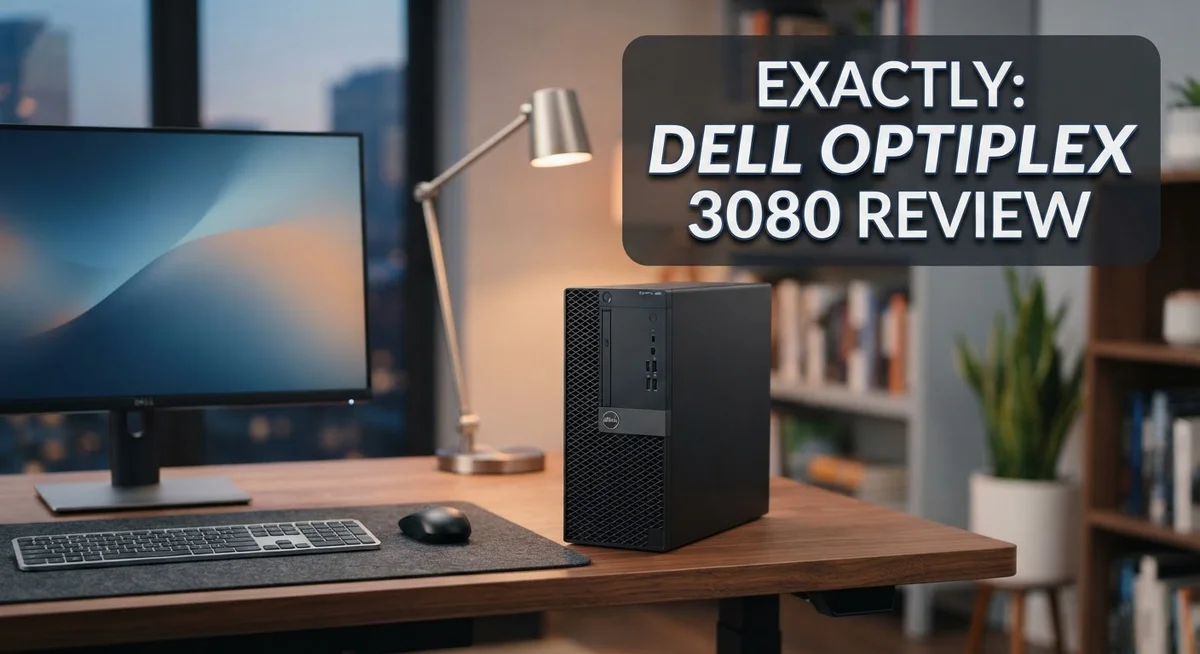
Dell OptiPlex 3080 Review: Does It Really Work?
Looking for a reliable desktop for office work? The Dell OptiPlex 3080 might be your answer.
This machine packs Intel’s 10th Gen processors under the hood. It handles everyday business tasks with ease.
Dell built the OptiPlex 3080 in three formats. You can choose Tower, Small Form Factor, or the compact Micro version.
Each size fits different workspace needs. The Micro variant works great for small desks or tight offices.
This desktop comes with 8GB RAM and a 256GB SSD in typical configurations. These specs handle office software, browsing, and multitasking smoothly.
The integrated Intel UHD Graphics 630 supports standard display needs. It works well for typical business use.
Dell designed this unit with security and manageability in mind. IT teams often praise its management features and dependable performance.
Some users report fan noise issues, though. We’ll cover that honestly in this review.
This guide walks you through every feature of the OptiPlex 3080. You’ll learn about its performance, design, and real world usability.
By the end, you’ll know if this desktop suits your work setup. Let’s explore what makes this machine tick.
In a Nutshell
Here is the quick rundown of what you need to know about the Dell OptiPlex 3080.
-
Built for business: This desktop shines in office settings. It handles everyday tasks like emails, spreadsheets, and web browsing with ease.
-
Three sizes, one goal: Whether you pick Tower, SFF, or Micro, you get solid performance. The Micro variant stands out for its quiet operation.
-
Reliability you can count on: Dell’s support and track record make this machine a safe bet. It rarely lets users down.
-
Some noise concerns: A few users report CPU fan noise beyond the Micro model. This might matter if you work in a quiet space.
-
Limited upgrades: The proprietary PSU restricts future hardware changes. Plan your needs ahead of time.
-
Stacks up against newer models: The OptiPlex 3090 offers faster RAM speeds. Still, the 3080 holds its own for typical office work.
This desktop suits users who want dependable performance without extra frills.
Processor Performance and Speed
The Intel 10th Gen processor inside the OptiPlex 3080 delivers the speed you need for daily office work. The i5-10500T variant handles multitasking without breaking a sweat. You can run spreadsheets, email, and web browsers at the same time without slowdowns.
Real world performance feels snappy. Documents open quickly. Applications launch in seconds. The processor manages typical business software with ease. You won’t experience lag when switching between programs.
Processing power scales to your needs. The 10th Gen architecture runs cooler than older generations. This matters because cooler chips work more efficiently. Your workday becomes less interrupted by system delays.
The DDR4 memory runs at speeds up to 2666MHz. This speed pairs well with the processor. Together, they create a fast system that stays responsive. The 256GB SSD adds another layer of speed. Your files load faster. Boot times are quick.
One concern exists with thermal management. Some users report CPU fan noise under load. The fan kicks in when the processor works hard. Heavy multitasking or video calls can trigger louder operation. The Micro form factor runs quieter than other sizes. If silence matters to you, choose the Micro variant.
The processor won’t struggle with video conferencing. Zoom calls run smoothly. Screen sharing works without hiccups. Your colleagues won’t complain about audio quality.
Gaming and video editing aren’t what this machine targets. The integrated graphics handle office tasks fine. You get standard display support. Dual monitor setups work without issues.
The 10th Gen chip also brings modern security features. Intel built protections directly into the processor. This means your data stays safer at the hardware level.
Speed consistency matters in business. The OptiPlex 3080 maintains performance throughout the day. You don’t see the slowdowns that older machines experience. The processor stays stable even during long work sessions.
If your work involves heavy data analysis or programming, this machine performs admirably. The cores handle complex calculations. The threads manage multiple processes smoothly. Your productivity stays high without system bottlenecks.

- Powerful Performance – Driven with a 10th Generation 6-Core Intel i5, this 3080 provides...
- Fast Storage – With a 512GB SSD, experience lightning-fast data access and storage...
Last update on 2026-11-03 / Affiliate links / Images from Amazon Product Advertising API
Design, Form Factor, and Build Quality
The Dell OptiPlex 3080 comes in three distinct physical formats. You can choose Tower, Small Form Factor (SFF), or Micro based on your desk space. Each option delivers the same core performance but fits different environments.
The Tower model sits upright and offers easy access to internal components. It works well on the floor or beside your monitor. The SFF version shrinks the footprint while keeping most upgrade paths open. The Micro configuration takes up minimal desk real estate, making it ideal for cramped workspaces or wall mounting.
Build quality feels solid across all three variants. Dell uses durable plastics and metal frames that withstand daily office use. The chassis design prevents dust accumulation better than older models. Cable management remains straightforward, though the proprietary power supply limits customization options.
The Micro model earns special praise for its compact design without sacrificing durability. Users report this version runs surprisingly quiet compared to larger configurations. The smaller chassis actually helps with thermal efficiency in tight spaces.
Thermal management shows mixed results. The tower and SFF units use standard cooling solutions that work adequately for office tasks. Some users mention the CPU fan produces noticeable noise during sustained workloads. The Micro variant handles heat better due to its compact airflow design. Neither configuration includes liquid cooling, which keeps costs reasonable for business environments.
Port placement follows logical patterns on all three models. USB ports sit on the front and rear for convenience. Audio jacks remain accessible without awkward cable routing. The rear panel houses standard business connectors for monitors and peripherals.
Aesthetics lean toward professional simplicity. The matte finish resists fingerprints and looks clean in office settings. No aggressive styling or RGB lighting exists here. The OptiPlex 3080 blends into any workspace without drawing attention.
Expansion slots remain limited due to the proprietary PSU design. You’ll find standard DIMM slots for RAM upgrades, but storage expansion requires careful planning. This constraint matters if you anticipate major hardware changes down the road. The design prioritizes reliability and security over maximum flexibility.
Security Features and Manageability
The Dell OptiPlex 3080 brings enterprise-grade security tools that protect your business data. The machine includes TPM 2.0 (Trusted Platform Module) built into the motherboard. This chip encrypts sensitive information and prevents unauthorized access to your system.
Dell’s management software makes IT administration straightforward. You can deploy settings across multiple machines without visiting each desk. Remote updates and patches roll out quickly through Dell’s management console. This saves your IT team hours of manual work every week.
The OptiPlex 3080 supports secure boot features. Your system verifies that only trusted software loads during startup. Malware cannot slip past this protection layer. The BIOS comes locked down with administrative controls that prevent accidental changes.
Password and access controls work seamlessly on this desktop. You can set up multi-factor authentication for extra protection. User accounts stay isolated from each other. One employee’s files remain hidden from another user’s view.
Dell’s WYSE management tools integrate smoothly with your existing IT infrastructure. You monitor system health and security status from a central dashboard. Alerts notify you immediately if something goes wrong. Patch management happens automatically without disrupting daily work.
The machine supports Windows 10 Pro and higher versions. These operating systems include built-in security features that work alongside the hardware protections. Encryption options protect data both at rest and in transit.
Firmware updates come regularly from Dell. These updates fix security vulnerabilities before hackers can exploit them. The update process runs quietly in the background. Your team stays protected without experiencing downtime.
The OptiPlex 3080 meets compliance requirements for healthcare, finance, and government sectors. Organizations handling sensitive data trust this platform. Security certifications demonstrate Dell’s commitment to protection standards.
Physical security features also matter. The case includes a lock slot for cable-based security. You can prevent unauthorized users from opening the chassis and stealing components. This dual approach combines hardware and software protection into one complete package.
Top 3 Alternatives
HP EliteDesk 800

- 【Processor】 Powered by the 9th Gen Intel Core i5-9500 processor with 6 cores...
- 【RAM and Storage】 Supports up to 64GB DDR4 RAM for efficient multitasking across...
Last update on 2026-11-03 / Affiliate links / Images from Amazon Product Advertising API
The HP EliteDesk 800 stands as a solid alternative for businesses seeking reliable desktop performance. This machine delivers consistent computing power for everyday office tasks and professional workflows. You get a compact form factor that fits easily into any workspace without sacrificing capability.
The system supports modern processors and expandable memory options. Security features come built-in, protecting your data with hardware-based solutions. The energy-efficient design helps reduce operational costs over time.
Lenovo ThinkCentre M90

- Release Year: 2025 model featuring the latest technology and design innovations for modern...
- AI-powered Desktop: Equipped with Intel AI Boost NPU delivering 13 TOPS performance for...
Last update on 2026-11-03 / Affiliate links / Images from Amazon Product Advertising API
Lenovo’s ThinkCentre M90 offers enterprise-grade reliability in a straightforward package. This desktop handles multitasking smoothly, making it ideal for teams that need consistent performance across their organization.
The build quality reflects Lenovo’s reputation for durability. You’ll find flexible upgrade paths for storage and memory as your needs grow. Manageability tools come standard, simplifying IT administration across multiple units in your office environment.
ASUS ExpertCenter D7

- Windows 11 Pro – Experience a streamlined, modern interface with Windows 11, designed to...
- Powerful 14th Gen Intel Core i7 Processor – Handle demanding tasks with ease using the...

Last update on 2026-11-03 / Affiliate links / Images from Amazon Product Advertising API
The ASUS ExpertCenter D7 brings professional-grade specifications to the mid-range desktop market. This machine serves content creators and power users who demand more from their equipment than basic productivity work.
The system emphasizes thermal management to keep performance stable during intensive tasks. Connectivity options include multiple USB ports and modern expansion capabilities. ASUS includes software utilities that help optimize system performance and monitor hardware health in real time.
Each alternative offers different strengths depending on your specific needs. Consider your workflow requirements and team size when choosing between these options.
Noise Levels and Thermal Management
The Dell OptiPlex 3080 handles heat and sound differently depending on which form factor you choose. The Micro variant stands out as surprisingly quiet, making it ideal for open office spaces or quiet work environments. This compact model keeps noise levels low even during sustained use.
The Tower and Small Form Factor units take a more conventional approach. They use standard cooling solutions that work adequately for typical office tasks. CPU fan noise becomes the main concern across these models. Several users report that the processor fan kicks in noticeably during demanding operations, though this remains within acceptable ranges for business environments.
Thermal management shows mixed results overall. The 10th Gen Intel processors run cooler than older generations, which helps reduce fan activity. However, the cooling system design leaves room for improvement in some scenarios. The tower configuration offers better airflow than the SFF model, so thermal performance varies slightly between them.
Heat dissipation works well during normal office work like email, spreadsheets, and web browsing. The system maintains steady temperatures throughout the day without thermal throttling. When you push the processor harder with video conferencing or document processing, fan noise increases noticeably but remains manageable.
Proprietary power supply limitations affect cooling efficiency slightly. The custom PSU design leaves less room for airflow optimization compared to standard desktop configurations. This doesn’t cause overheating, but it does mean the cooling system works harder in some situations.
The Micro model’s compact design actually benefits thermal performance. Tight internal spacing forces engineers to optimize cooling paths carefully. This results in lower noise levels and efficient heat removal despite the smaller footprint.
For most business users, noise and thermal management fall within acceptable ranges. The Micro variant wins for quiet operation. The Tower model provides better thermal headroom if you plan extended use or multiple applications running simultaneously. Neither configuration gets hot enough to cause performance issues or require special cooling solutions.
Upgrade Flexibility and Expandability
The Dell OptiPlex 3080 gives you room to grow your system as your business needs change. Each form factor handles upgrades differently, so let’s explore what you can actually do.
The Tower model offers the most upgrade flexibility. You can easily access the motherboard and add components without special tools. RAM slots accept DDR4 modules up to 2666MHz, so expanding memory is straightforward. Storage upgrades work well too, as the tower has space for additional drives beyond the standard 256GB SSD.
The Small Form Factor (SFF) variant balances compactness with moderate expandability. You still get access to RAM slots for memory increases. Storage options remain viable, though the tighter chassis means you need to plan your additions carefully. This model suits users who want some upgrade potential without sacrificing desk space.
The Micro configuration presents real limitations for expansion. Its tiny footprint means fewer internal slots and less room for additional hardware. If you plan significant upgrades, the Micro model may disappoint you. However, the base specifications often prove sufficient for standard office applications, reducing the need for future changes.
One significant constraint affects all three variants: the proprietary power supply. This design choice limits your ability to upgrade to higher wattage components later. You cannot simply swap in a standard PSU if your needs grow. This is worth considering during your initial purchase decision.
RAM and storage remain your best upgrade paths regardless of form factor. Both upgrades stay relatively simple and affordable to implement. The 10th Gen Intel processors stay fixed to the motherboard, so CPU upgrades aren’t possible.
Plan your configuration carefully before purchase. If you anticipate needing major hardware changes within two to three years, the Tower model serves you best. For stable, long-term deployments where specifications won’t change much, any form factor works fine. The key is matching the model to your actual upgrade expectations, not assuming unlimited expansion capability later on.
Pros and Cons
Pros
- Intel 10th Gen processors deliver fast performance for everyday office tasks like email, spreadsheets, and web browsing
- Available in three form factors (Tower, Small Form Factor, and Micro) so you pick the size that fits your workspace
- Micro variant runs surprisingly quiet compared to other compact business desktops
- Dell’s support and reliability track record give you peace of mind for long term use
- Enterprise grade security features protect your business data without slowing you down
Cons
- CPU fan noise becomes problematic during heavy workloads and can be distracting in quiet offices
- Proprietary power supply limits your upgrade options and replacement flexibility
- The Micro configuration sacrifices expandability for its compact size, leaving little room to add components later
- Overall device noise issues reported by users, especially under sustained use
Who Should Buy It
The Dell OptiPlex 3080 works best for small to medium-sized businesses that need reliable office computers. If your team handles email, spreadsheets, and web browsing daily, this machine delivers the performance you need without extra power.
IT managers and system administrators will appreciate the enterprise-grade security features. The OptiPlex 3080 includes remote management tools that make it easy to deploy, monitor, and update multiple machines across your organization. You spend less time on maintenance and more time on strategic work.
Companies with limited desk space should consider the Small Form Factor or Micro variants. These compact models fit under desks or in tight server closets without sacrificing functionality. The Micro version runs particularly quiet, making it ideal for open office environments where noise matters.
Organizations that prioritize data protection benefit from built-in security layers. The system protects your business information without slowing down daily tasks. You get peace of mind knowing your files stay secure.
Budget-conscious departments find value in the OptiPlex 3080’s reliability. Dell’s track record means fewer breakdowns and less downtime. When your computers work consistently, your team stays productive.
However, skip this machine if you need heavy processing power. Video editors, 3D designers, and data scientists should look elsewhere. The integrated graphics and 10th Gen Intel processors handle office work, not intensive creative tasks.
Avoid the OptiPlex 3080 if you plan major upgrades down the road. The proprietary power supply limits your expansion options. You cannot easily swap in a new GPU or add multiple storage drives like you would in a standard desktop.
Users who work in quiet environments should test the Tower model first. Some users report CPU fan noise during demanding tasks. The noise level varies, so listen before committing to multiple units.
Small offices with straightforward computing needs find the OptiPlex 3080 hits the right balance. You get solid performance, strong security, and reliable support without unnecessary complexity.
Final Verdict
The Dell OptiPlex 3080 stands as a solid choice for everyday business computing. It handles office tasks with ease. It also keeps your data safe with strong security features.
This desktop shines when you match it to the right task. It is not a gaming rig or a video editing powerhouse. Instead, it excels at emails, documents, and web browsing.
Reliability is the biggest selling point here. Dell built this machine to last through years of daily use. Many businesses report smooth performance long after purchase.
The noise concerns deserve your attention. Some users notice fan sounds during heavy use. Test the unit in your own environment before committing to a specific configuration.
If you want a newer processor and slightly faster memory speeds, look at the OptiPlex 3090. It offers similar benefits with modest upgrades. However, the 3080 still performs well for typical office demands.
Think about your future needs before you decide. This machine works best when you know your requirements upfront. Sudden growth or heavy software demands may push you toward other options.
Small businesses and educational institutions often find this desktop meets their core needs. It balances performance, security, and Dell’s dependable support system.
The verdict comes down to matching expectations with reality. This is a dependable workhorse, not a high performance machine. Know that going in, and you will likely be satisfied.
Choose the Dell OptiPlex 3080 if you want steady, reliable performance for standard office work. Skip it if you need serious computing power or plan frequent upgrades.
For most everyday business scenarios, this desktop delivers exactly what it promises. It combines practical performance with enterprise grade security, making it a sensible pick for offices that value consistency over cutting edge specs.
Frequently Asked Questions
Can I upgrade the Dell OptiPlex 3080 later on?
Upgrades are limited due to the proprietary power supply design. You can swap RAM and storage in most cases, but swapping the PSU becomes difficult. If you plan major component changes down the road, this machine may frustrate you. Consider your future needs before purchasing.
Which form factor should I choose?
The Tower model offers standard desk placement. The Small Form Factor saves space while maintaining good airflow. The Micro variant runs surprisingly quiet and fits tight spaces. Pick based on your desk layout and noise tolerance. Test the Tower first if you work in a silent environment.
Is the Dell OptiPlex 3080 good for video editing or gaming?
No. This desktop handles office tasks, email, and web browsing smoothly. The integrated Intel UHD Graphics 630 cannot handle heavy video processing or gaming. The 10th Gen Intel processors work fine for everyday business computing. Look elsewhere if you need serious processing muscle.
How does the OptiPlex 3080 compare to the OptiPlex 3090?
The 3090 is newer and faster. It supports DDR4 memory up to 2933MHz versus the 3080’s 2666MHz. Both machines excel at office work and share similar security features. The 3090 gives you slightly better performance and newer technology. Choose the 3080 if you want reliable, steady performance for standard tasks.
What makes this desktop secure for business use?
Enterprise-grade security features protect your data without slowing performance. Dell includes built-in layers that keep business information safe. IT managers appreciate the manageability tools included. This is one of the biggest strengths for small to medium-sized businesses.

I’m Lipi, a passionate blogger with a keen interest in artificial intelligence and its applications. On my blog, lipiai.blog, I share information about AI, review different AI tools, and provide helpful guides. My goal is to make AI easy to understand for everyone. I enjoy simplifying complex ideas so that both beginners and tech-savvy folks can learn.