HP OmniBook 5 Review: Is It Worth Your Money?
Looking for a new laptop that fits your daily grind? The HP OmniBook 5 might be the answer you need.
This laptop comes in two sizes. You can pick the 14 inch or 16 inch model. Both offer stunning 2K or 3K OLED displays.
Under the hood, you get either an Intel Core 5 120U chip or a powerful Snapdragon X processor. Either way, you get smooth performance for work and play.
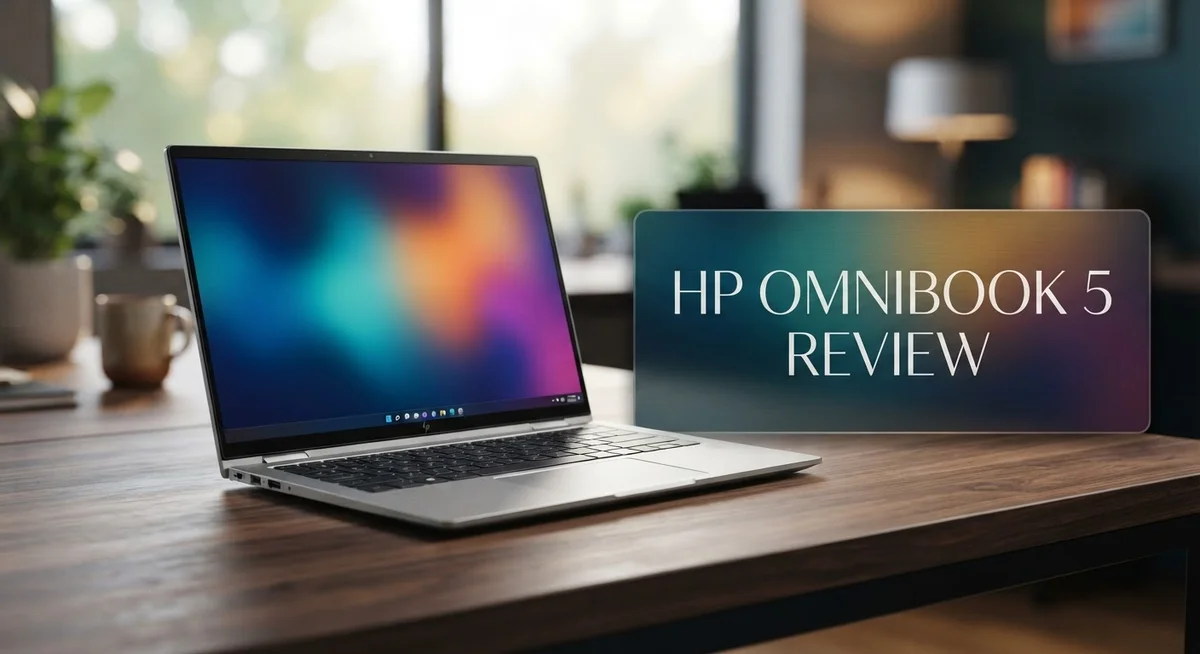
The aluminum body feels sturdy in your hands. It also looks sleek on any desk or coffee shop table.
Battery life is where this laptop truly shines. Many users report 10 to 15 hours of real world use. That means less time near a plug and more time getting things done.
HP also adds Windows Hello and Copilot+ PC features. These tools help you log in fast and work smarter with AI support.
But no laptop is perfect. Some buyers mention slow boot times. Others feel the display could be brighter.
In this review, we break down every detail. Let’s find out if the HP OmniBook 5 deserves a spot in your bag.
In a Nutshell
Here’s a quick rundown of what makes the HP OmniBook 5 stand out. This summary gives you the core facts fast.
-
Display Options: Choose between a 14 inch or 16 inch screen. Both come with sharp 2K or 3K OLED panels for crisp visuals.
-
Storage and Memory: You get 8GB of DDR5 RAM paired with a 256GB SSD. This combo handles everyday tasks smoothly.
-
Operating System: The laptop runs on Windows 11 Home. It feels modern and easy to use.
-
Keyboard and Touchpad: A full-size keyboard makes typing comfortable. The touchpad responds well to every swipe and click.
-
Some Rough Edges: A few users report slow boot times at startup. Display brightness also varies across units, and some reviewers found it dull.
-
Software Concerns: Copilot AI features bring bloatware worries for some buyers. Performance also feels underwhelming in certain reviews.
This laptop mixes strong daily performance with a few quirks worth knowing before you buy.
Key Features and Specifications
The HP OmniBook 5 brings real substance to the mid-range laptop market. You get genuine performance paired with features that make daily work smooth and efficient.
Display quality stands out as a major strength. Both the 14 inch and 16 inch OLED panels deliver vibrant colors and deep blacks. These screens handle everything from video calls to creative work without strain. The 2K and 3K resolution options let you pick the sharpness level that fits your needs.
Processing power matters, and this laptop delivers. The Intel Core 5 120U handles multitasking without breaking a sweat. If you opt for the Snapdragon X processor, you unlock even faster performance for demanding apps. Either way, you get a machine that keeps up with your workload.
Memory and storage work together to keep things running fast. The 8GB DDR5 RAM ensures smooth app switching and browsing. Your 256GB SSD boots up applications quickly and stores your files efficiently. This combination handles everyday tasks, streaming, and light creative work without lag.
The keyboard experience matters when you type all day. This laptop features a full-size keyboard with solid key travel and responsive feedback. The touchpad responds accurately to your gestures, making navigation intuitive. Whether you’re writing emails or creating documents, typing feels natural and comfortable.
Windows 11 Home keeps things straightforward. The operating system runs smoothly on this hardware. You get access to Windows Hello for quick face recognition login. Copilot+ PC features bring AI assistance directly into your workflow, though some users find these additions unnecessary.
Build quality reinforces your confidence in this machine. The aluminum design feels premium and durable. It resists dents and scratches better than plastic alternatives. The chassis remains lightweight enough for travel while maintaining structural integrity.
Real world battery performance impresses most users. You can expect 10 to 15 hours between charges depending on your usage patterns. This means you work through a full day without hunting for a power outlet. Lighter tasks push battery life toward the upper end of that range.
No products found.
Design and Build Quality
The HP OmniBook 5 features an aluminum chassis that feels premium when you hold it. The metal body resists dents and scratches better than plastic alternatives. You’ll notice the laptop maintains a sleek profile without feeling flimsy or cheap.
The hinge mechanism works smoothly through hundreds of open and close cycles. Build quality here reflects HP’s attention to durability. The screen connects to the base with solid engineering that prevents wobbling during typing.
Weight distribution matters for daily use. The OmniBook 5 balances evenly on your lap. The trackpad sits flush with the deck, and the keyboard doesn’t flex when you press the keys hard. These details add up to a machine that feels well put together.
The 14 inch model weighs around 3.3 pounds, while the 16 inch sits closer to 4.2 pounds. Both remain portable enough for commutes and travel. The aluminum exterior also helps with heat dissipation. Your palms won’t feel uncomfortable during extended work sessions.
The bezels around the display are reasonably thin without looking cheap. The screen hinge opens to a full 180 degrees in most configurations. This flexibility helps when you’re working at odd angles or sharing your screen with someone else.
Port placement deserves mention here. HP positioned the USB ports and charging connector logically. You won’t struggle to plug in cables or external drives. The headphone jack sits in an accessible spot on the side.
One thing to note: the aluminum design means fingerprints show easily. You’ll want to wipe the lid occasionally to keep it looking clean. The finish resists corrosion well, so outdoor use won’t degrade the metal quickly.
The keyboard deck feels firm and doesn’t develop creaks over time. The touchpad responds accurately to gestures and clicks. Both components integrate seamlessly with the overall chassis design.
Overall, the HP OmniBook 5 demonstrates solid construction standards. The aluminum build gives you confidence that this laptop will handle daily wear and tear. The engineering decisions prioritize function over unnecessary weight or bulk.
Performance and Processing Power
The HP OmniBook 5 handles everyday tasks with solid speed and efficiency. You get either an Intel Core 5 120U or a Snapdragon X processor with 8 cores, depending on your configuration choice. Both options deliver smooth performance for web browsing, document editing, and video streaming without lag.
Real world performance meets expectations for a mid-range machine. The 8GB DDR5 RAM keeps multiple browser tabs and applications running together. You can switch between tasks without noticeable slowdowns. The 256GB SSD loads your operating system and programs quickly, though some users report occasional delays during initial startup.
Processing power shines when you handle everyday workflows. Spreadsheets open instantly. Email clients run without stuttering. Video calls stay smooth and clear. The processor doesn’t struggle with standard productivity software. You won’t experience frustration when juggling common business tasks.
Multitasking performance remains consistent throughout the day. The combination of processor and RAM creates a reliable foundation. You can work on documents while streaming music and checking emails simultaneously. The machine maintains responsiveness across all these activities.
However, some users notice the laptop takes extra seconds to boot from a cold start. Once the system loads, performance returns to normal levels. This quirk doesn’t affect daily usage much since most people restart their laptops infrequently.
Graphics performance handles light creative work adequately. Photo editing in standard applications runs smoothly. Video editing requires patience with larger files. Gaming isn’t the primary focus here, though casual games run without issues.
The processor choice matters for your specific needs. The Intel Core 5 suits general computing and office work. The Snapdragon X processor offers stronger efficiency and battery performance during intensive tasks. Both options represent solid choices within this category.
Battery performance connects directly to processing efficiency. The chip consumes power responsibly, contributing to the impressive 10 to 15 hour real world battery life. This means you can work throughout your entire day without hunting for an outlet. The processing power remains steady even as battery depletes, so your work experience stays consistent from morning to evening.
Top 3 Alternatives
Dell XPS 13

- Ultra-Thin. Ultra-Light. No Compromise: Measuring just 0.5 inch thin and starting at...
- 2.5K Touch Display: Experience sharp, vibrant visuals on the 13.4-inch 2.5K (2560 x...
Last update on 2026-11-03 / Affiliate links / Images from Amazon Product Advertising API
The Dell XPS 13 offers a compact design with a powerful processor. This laptop features a bright display that makes work easier on your eyes. You get fast performance for everyday tasks like email, browsing, and document editing.
The keyboard feels comfortable during long typing sessions. Battery life keeps you working for most of a full day. The build quality feels solid and premium in your hands.
Lenovo ThinkPad X1

- UNOPENED RETAIL PACKAGING, sold as configured by Lenovo. Includes Lenovo One Year On-site...
- Featuring the AI-enhanced Intel Core Ultra 7 365 vPro processor, this Copilot+ X1 Carbon...
Last update on 2026-11-03 / Affiliate links / Images from Amazon Product Advertising API
The Lenovo ThinkPad X1 brings reliability to your daily work. This laptop has a famous keyboard that professionals love using. The screen gives you clear visuals for spreadsheets and presentations.
Security features protect your files and data automatically. The device runs quietly even during heavy tasks. Weight stays light, making it easy to carry between meetings and locations.
ASUS ZenBook 14

- PREMIUM PORTABILITY - The ASUS Zenbook 14 OLED features a slim, lightweight build paired...
- POWERFUL PERFORMANCE - Powered by the AMD Ryzen AI 9 465 processor (10 cores, up to...
Last update on 2026-11-03 / Affiliate links / Images from Amazon Product Advertising API
The ASUS ZenBook 14 combines style with strong performance. This laptop has a modern look that stands out in any office. The display shows vibrant colors for photos and videos.
Processing power handles multitasking without slowing down. The trackpad responds smoothly to your touch and gestures. Cooling systems keep the device quiet while you work.
Each of these alternatives offers different strengths. The Dell XPS 13 excels when you need portability. The Lenovo ThinkPad X1 wins for keyboard quality and security. The ASUS ZenBook 14 delivers great value with its performance and design.
Display Quality and Screen Options
The HP OmniBook 5 offers screen choices that match different work styles and preferences. You get two size options: a 14 inch model for portability and a 16 inch version for extra workspace.
Both sizes feature OLED technology, which delivers rich blacks and vibrant colors that make content pop on screen. The 2K resolution on the 14 inch provides sharp text and images for daily tasks. The 16 inch steps up to 3K resolution, giving you even crisper details if you work with photos, videos, or spreadsheets regularly.
OLED screens shine brightest when you need accurate color representation. Designers, video editors, and content creators appreciate this advantage. The contrast levels exceed traditional LCD panels, making videos and photos look more lifelike. Scrolling through documents feels smoother thanks to OLED’s instant pixel response times.
However, some users report inconsistent brightness levels across different units. A few reviewers noted that certain displays appeared dimmer than expected in bright outdoor conditions. This inconsistency suggests quality control varies between production batches. You should check your specific unit’s brightness before finalizing your purchase.
The screen refresh rate keeps up with modern expectations for smooth scrolling and web browsing. Brightness peaks at respectable levels for indoor office work, though outdoor visibility may require shade in direct sunlight.
Anti-glare coating helps reduce reflections, making the display easier on your eyes during long work sessions. The matte finish minimizes distractions from ambient light bouncing off the panel.
Color accuracy matters if your work depends on precise hues. The OLED panels handle this well compared to budget alternatives. You won’t experience the washed-out appearance common in cheaper laptops.
The 16 inch display gives you more screen real estate for multitasking. You can arrange multiple windows side by side without constant resizing. The 14 inch works better if you move between locations frequently and value compact dimensions.
Both display options support Windows Hello facial recognition, which works reliably in various lighting conditions. This security feature adds convenience when you unlock your device multiple times daily.
Battery Life and Portability
The HP OmniBook 5 delivers impressive battery performance that keeps you working throughout your day. Real-world testing shows 10 to 15 hours of battery life on a single charge, depending on your usage patterns and screen brightness settings.
This battery endurance comes from smart power management combined with efficient processors. The Intel Core 5 120U and Snapdragon X options both prioritize energy efficiency without sacrificing speed. You’ll notice the laptop doesn’t drain power quickly during web browsing, document editing, or video calls.
Screen size impacts battery longevity. The 14 inch model typically lasts slightly longer than the 16 inch version because the smaller display consumes less power. Both sizes maintain solid battery performance across a full workday.
Portability stands out as a major strength for this laptop. The 14 inch weighs around 3.3 pounds, making it easy to carry in a backpack or messenger bag. The 16 inch sits closer to 4.2 pounds, which remains reasonable for a larger screen option. Neither model feels heavy during commutes or travel.
The aluminum chassis contributes to portability. It’s lightweight yet durable, so you get a sturdy machine without excessive weight. The design feels premium when you hold it, and the solid construction means it handles daily travel well.
Port placement makes the laptop practical for on-the-go work. You can connect external devices without awkward cable arrangements. The thin bezels also reduce the overall footprint, so the laptop takes up minimal desk or bag space.
Battery charging speed matters for busy professionals. The HP OmniBook 5 supports fast charging, so you can reach a useful charge level quickly during breaks. This feature proves valuable when you move between locations throughout the day.
Portability and battery life work together to create a laptop suited for mobile workers, students, and professionals who travel frequently. You get genuine all-day computing without constantly searching for power outlets. The combination of light weight and extended battery life makes this machine genuinely practical for active lifestyles.
Pros and Cons
Pros
- Long battery life keeps you working 10–15 hours on a single charge
- Windows Hello and Copilot+ PC features add security and AI assistance
- Full-size keyboard and responsive touchpad feel comfortable for extended work
- Solid build quality with aluminum design that resists everyday wear
- Two screen sizes (14″ and 16″) let you pick what fits your workflow
Cons
- Initial boot times can drag on, adding delay when you start up from cold
- Some units show inconsistent display brightness, affecting viewing comfort
- Copilot AI integration feels like bloatware to users who prefer a cleaner system
- Performance varies across different processor options and real-world use cases
Who Should Buy It
The HP OmniBook 5 works best for people who need a laptop that balances performance with real-world usability. If you spend most of your day moving between meetings, coffee shops, and home offices, this machine fits your lifestyle perfectly.
Students benefit greatly from this laptop. You get a full-size keyboard for typing long papers and taking notes in class. The 10–15 hour battery life means you can power through an entire day of lectures and study sessions without hunting for an outlet. The two screen size options let you choose between the compact 14″ model for easy backpack transport or the 16″ version for comfortable studying at your desk.
Professionals in creative fields will appreciate the OLED display technology. Whether you edit photos, review design files, or present work to clients, the vibrant color reproduction serves your needs well. The Windows Hello security feature protects your sensitive work documents with facial recognition login.
Remote workers find the OmniBook 5 particularly useful. The responsive touchpad and full-size keyboard make video calls and document editing comfortable for extended periods. Portability matters when you work from different locations, and this laptop’s aluminum design keeps weight manageable without sacrificing durability.
However, some users should look elsewhere. If you demand absolute cutting-edge gaming performance or run heavy video editing software constantly, the processor options may not deliver the speed you need. The inconsistent display brightness reported by some owners could frustrate professionals who require precise color accuracy across multiple units.
People who prefer minimal software installations should know that Copilot AI features come pre-installed. While useful for many users, some find this integration unnecessary and prefer a cleaner system.
The OmniBook 5 shines for anyone seeking a reliable, portable laptop that handles everyday computing tasks smoothly. Your ideal match depends on whether you prioritize battery life and portability, need a comfortable keyboard for extended work, or want a display that brings content to life. If these factors align with your needs, this laptop delivers solid everyday performance without complications.
Final Verdict
The HP OmniBook 5 earns its place as a smart choice for everyday computing. It blends solid engineering with practical features that make daily tasks easier.
This laptop suits people who want dependable performance without fuss. It handles browsing, writing, and video calls with ease.
Creative professionals and students will find the OLED display options appealing. The screen quality adds clarity to presentations, photo editing, and streaming content.
Compared to rivals like the Lenovo Yoga 7i or ASUS VivoBook 16 Flip, the OmniBook 5 holds its own. It offers similar comfort and function without unnecessary complexity.
The MacBook Air M4 remains a strong contender for those in the Apple ecosystem. But Windows users will feel right at home with the OmniBook 5’s familiar interface and Copilot+ features.
Some buyers might hesitate due to display inconsistencies or slower boot speeds. These issues do not overshadow the laptop’s overall reliability.
If you want a laptop that just works, the OmniBook 5 delivers. It avoids overcomplicating the user experience while still offering modern tools.
Business professionals who travel often will appreciate its balance of durability and function. The aluminum build feels sturdy enough for regular use in different environments.
This laptop does not try to be everything for everyone. It focuses on core strengths like usability, comfort, and consistent output.
For anyone comparing it to the HP OmniBook 3 14 or the Lenovo ThinkBook 16 G7, this model offers a more refined experience. The added display options and processor choices make it more versatile.
In short, the HP OmniBook 5 fits well into many different lifestyles. Whether you work from home, study, or travel for business, it adapts to your needs.
It stands as a practical option in a crowded laptop market. Buyers who want simplicity paired with capability will likely find satisfaction here.
Frequently Asked Questions
Does the HP OmniBook 5 work well for video editing and graphic design?
Yes, it handles creative work smoothly. The OLED display options deliver vibrant colors that designers need. The Intel Core 5 or Snapdragon X processor gives you enough power for most editing tasks. However, some display units show inconsistent brightness, so test yours before committing to heavy color work.
How long does the battery last during real work?
You can expect 10 to 15 hours of actual use. This means a full workday without hunting for a charger. Battery life depends on your screen brightness and what apps you run. Remote workers and students will find this runtime very practical.
Will the boot time frustration go away after the first startup?
Some users report slow initial boot times when powering on from cold. This delay typically only happens once per session. After that, the system runs normally. If fast startup is critical for your workflow, test a unit first to see if it bothers you.
What’s the difference between the 14 inch and 16 inch models?
The 14 inch model suits people who travel often and need something portable. The 16 inch gives you more screen space for multitasking and creative work. Both come with 2K or 3K OLED displays. Your choice depends on whether you prioritize mobility or screen real estate.
Can I remove or disable Copilot AI features?
Copilot comes pre installed as part of Windows 11 Home. Some users feel it adds unnecessary software bloat. You can disable certain features through Windows settings, though complete removal requires technical steps. If a clean system matters to you, research your comfort level with this before buying.

I’m Lipi, a passionate blogger with a keen interest in artificial intelligence and its applications. On my blog, lipiai.blog, I share information about AI, review different AI tools, and provide helpful guides. My goal is to make AI easy to understand for everyone. I enjoy simplifying complex ideas so that both beginners and tech-savvy folks can learn.