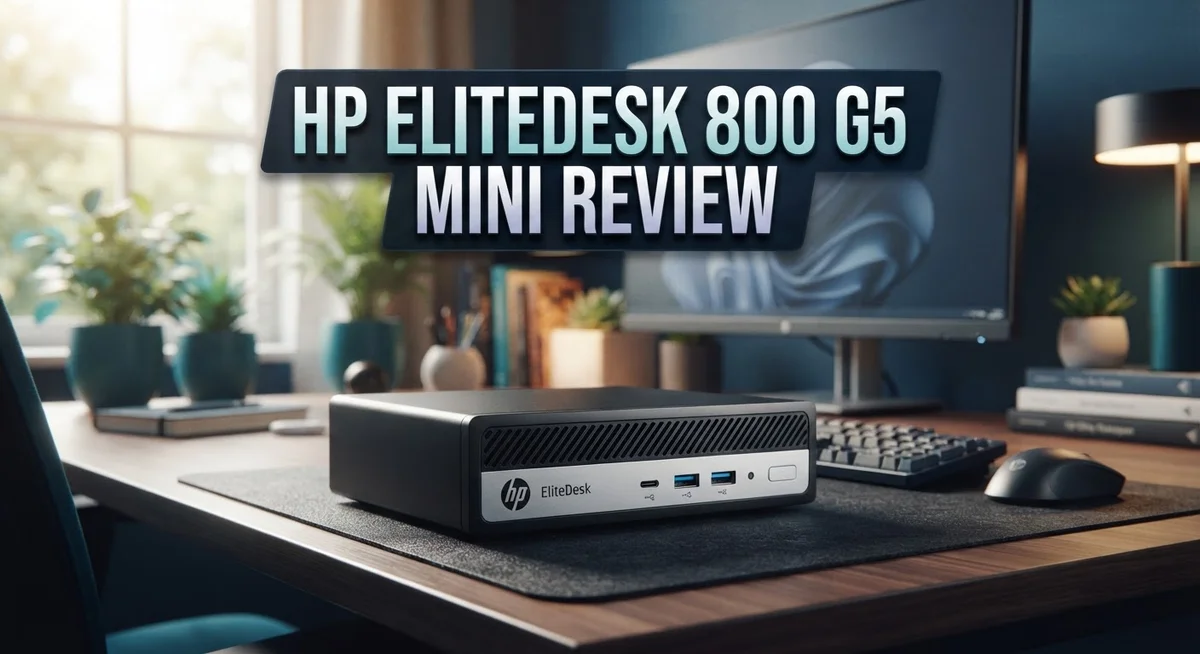
HP EliteDesk 800 G5 Mini Review: Should You Buy This?
Looking for a small desktop that still packs a punch? The HP EliteDesk 800 G5 Mini might be your answer.
This tiny PC fits almost anywhere. It sits on your desk, behind a monitor, or on a shelf. Yet it does not skip on power.
Inside, you get a 9th Gen Intel Core i5-9500T processor. It has six cores and reaches speeds up to 3.70 GHz. This chip handles office work and daily tasks with ease.
The unit comes with 16GB DDR4 RAM and a 256GB NVMe SSD. These specs give you fast boot times and smooth multitasking. Need more space? You can expand storage later.
HP built this machine tough. It carries a MIL-STD 810G durability rating. The solid metal chassis resists fingerprints and daily wear.
This review breaks down every part of the EliteDesk 800 G5 Mini. We cover performance, design, ports, and upgrade options. We also compare it to rivals like the Lenovo ThinkCentre Tiny and Dell OptiPlex Mini.
By the end, you will know if this compact PC fits your needs. Let us jump into the details.
In a Nutshell
-
Tiny footprint: The EliteDesk 800 G5 Mini measures just 7 x 7 x 1-3/8 inches. It slides behind a monitor or sits on a shelf with ease.
-
Tough build: This machine meets MIL-STD 810G durability standards. Its solid metal chassis resists fingerprints and daily wear.
-
Smart cooling: A copper heatsink keeps temperatures low. You get stable performance even during long work sessions.
-
Room to grow: Two M.2 NVMe slots plus one SATA bay let you add more storage later. This makes future upgrades simple.
-
Modern wireless, older ports: WiFi 6 and Bluetooth 5.0 keep you connected fast. However, you only get VGA and DisplayPort outputs, no HDMI.
-
Office ready, not gaming ready: Integrated graphics handle 4K video and daily tasks well. Heavy gaming is not this PC’s strength.
-
Runs Windows 11 Pro and competes directly with the Lenovo ThinkCentre Tiny and Dell OptiPlex Mini in this mini PC category.
Design and Build Quality
The HP EliteDesk 800 G5 Mini proves that small doesn’t mean fragile. HP engineered this machine with a solid metal chassis that resists fingerprints and daily wear. The 7 x 7 x 1-3/8 inch form factor sits comfortably on any desk, shelf, or wall mount without taking up valuable space.
What makes this PC stand out is its MIL-STD 810G certification. This military-grade durability standard means the EliteDesk 800 G5 Mini withstands shock, vibration, and extreme temperatures. You get a machine built for offices, classrooms, and demanding environments where reliability matters.
The cooling system deserves special attention. A copper heatsink manages heat efficiently despite the compact design. This keeps the 9th Gen Intel Core i5-9500T running cool even during sustained workloads. You won’t hear excessive fan noise during normal office tasks or video playback.
Port placement feels practical rather than flashy. The unit includes VGA and DisplayPort outputs for monitor connections. WiFi 6 and Bluetooth 5.0 handle wireless connectivity with modern speeds. These ports sit on the back and sides, keeping cables organized and out of sight.
The chassis design prioritizes function over fashion. Some users find the boxy appearance uninspiring compared to sleeker competitors. However, this no-nonsense design reflects HP’s focus on performance and durability. The matte finish resists smudges and shows less dust accumulation than glossy alternatives.
Inside, the build quality continues. The motherboard layout allows easy access to RAM and storage expansion slots. Two M.2 NVMe bays and one 2.5 inch SATA slot give you upgrade flexibility without requiring professional help. The internal components mount securely without loose connections or rattling.
The power supply integrates neatly without external adapters cluttering your workspace. This all-in-one approach keeps the desktop tidy and professional looking. Overall, the EliteDesk 800 G5 Mini prioritizes substance over style. You get a reliable, upgradeable, and genuinely durable machine that handles office work and content consumption with quiet confidence.

- 9th Generation Intel Core i5-9500T 6-Core 2.20 GHz Processor (9MB SmartCache, up to...
- 16GB DDR4 2666MHz Memory, 256GB NVMe Solid State Drive, Windows 10 Professional (64-bit)
Last update on 2026-11-03 / Affiliate links / Images from Amazon Product Advertising API
Performance and Processing Power
The 9th Gen Intel Core i5-9500T sits at the heart of this machine. This processor runs six cores and reaches speeds up to 3.70 GHz when you need it. The 95W thermal design means the system stays cool without sounding like a jet engine.
Real world performance feels snappy for everyday office work. You can handle spreadsheets, email, and web browsing without any lag. Video editing and 4K playback run smoothly thanks to the solid processor and integrated graphics combination.
The 16GB DDR4 RAM gives you plenty of breathing room for multitasking. You can keep dozens of browser tabs open, run multiple applications, and switch between them without slowdowns. This amount of memory handles most professional workflows without breaking a sweat.
Storage speed matters, and the 256GB NVMe SSD delivers. Applications launch quickly. Files open instantly. The system boots in seconds. You get genuine responsiveness, not just numbers on a spec sheet.
Intel UHD Graphics 630 handles everyday visual tasks well. You can watch videos, use design software, and work with photos comfortably. Gaming is not the focus here. Demanding games will struggle with the integrated graphics, but that is not what this PC was built for.
The cooling system keeps everything running efficiently. The copper heatsink pulls heat away from the processor, maintaining stable performance during sustained workloads. Temperatures stay reasonable even when you push the system hard.
Processing power scales with your actual needs. Light users see instant responsiveness. Power users running virtual machines or data analysis tasks will notice the processor working harder, but it keeps pace. This is not a workstation, yet it punches above its weight for a machine this small.
The 9th Gen processor is older technology, which means newer software optimizations may not fully leverage its capabilities. However, for typical business applications and professional tasks, the performance remains relevant and capable. You get reliable, predictable speed from a proven platform.
Storage, Memory, and Expandability
The HP EliteDesk 800 G5 Mini gives you real flexibility when it comes to storage and memory upgrades. You start with 16GB of DDR4 RAM, which handles most office work without breaking a sweat. If you need more muscle for heavy multitasking or data processing, the system supports additional RAM modules for future expansion.
Storage is where this mini PC truly shines. The base 256GB NVMe SSD boots Windows 11 Pro fast and loads applications instantly. But here’s the smart part: you get two M.2 NVMe slots plus one 2.5 inch SATA bay for expansion. This means you can add more drives without replacing what you have.
You can safely expand to around 2TB total storage across all slots. This setup works great if you need extra space for files, backups, or archived projects. The NVMe drives offer blazing fast speeds, while the SATA slot gives you another option if you prefer traditional storage solutions.
Accessing the storage bays is straightforward. The compact chassis opens easily, and HP designed the internal layout so you don’t need special tools or technical skills. Swapping out drives or adding new ones takes just a few minutes.
One thing to keep in mind: because this is a 9th generation machine, you should verify compatibility with newer storage standards before purchasing drives. Most modern M.2 NVMe drives work fine, but checking specs prevents headaches later.
The memory and storage combo makes this PC practical for growing businesses and individuals who want room to expand. You won’t feel locked into the original configuration. Whether you need more RAM for demanding applications or extra storage for large files, the EliteDesk 800 G5 Mini adapts to your needs. This flexibility, combined with the compact size, makes it an intelligent choice for offices where space matters and upgrade potential matters too.
Top 3 Alternatives
Lenovo ThinkCentre M90

- Compact Powerhouse for Professional Environments: The renewed Lenovo ThinkCentre M900 Tiny...
- Efficient Multitasking with SSD Storage: Equipped with a 256GB SSD, the renewed Lenovo...
Last update on 2026-11-03 / Affiliate links / Images from Amazon Product Advertising API
The Lenovo ThinkCentre M90 serves as a solid alternative for users seeking a compact desktop. This machine delivers reliable performance for everyday computing tasks. It features a small footprint that fits easily on any desk or shelf.
The ThinkCentre M90 comes with strong build quality that business professionals appreciate. The system handles multitasking smoothly. Connectivity options include USB ports and audio jacks positioned conveniently on the front panel.
Dell OptiPlex 7080

- 【High Speed RAM And Enormous Space】32GB high-bandwidth RAM to smoothly run multiple...
- 【Processor】Intel Core i5-10500T Processor (6 Cores, 12 Threads, 12MB L3 Cache, Base...
Last update on 2026-11-03 / Affiliate links / Images from Amazon Product Advertising API
The Dell OptiPlex 7080 represents a powerful choice for demanding workloads. This desktop excels at handling resource-intensive applications. Security features built into the system protect your data effectively.
The OptiPlex 7080 offers excellent expandability for future upgrades. You can add more storage or upgrade components without difficulty. The system runs quietly, making it suitable for office environments where noise matters.
ASUS VivoPC M32CD

- Intel Celeron 1007U Processor 1.5 GHz( cache)
- 4GB DDR3
Last update on 2026-11-03 / Affiliate links / Images from Amazon Product Advertising API
The ASUS VivoPC M32CD brings a different approach with its compact design. This machine emphasizes space-saving without sacrificing functionality. The system works well for general computing and entertainment purposes.
The VivoPC M32CD includes convenient connectivity options for modern users. USB ports and wireless capabilities keep you connected. The system operates efficiently for everyday tasks like browsing, document editing, and streaming media.
Each alternative offers distinct advantages. The Lenovo ThinkCentre M90 appeals to business users. The Dell OptiPlex 7080 suits professionals needing power and security. The ASUS VivoPC M32CD works best for users prioritizing compact size and everyday performance. Your choice depends on your specific needs and use case.
Connectivity and Ports
The HP EliteDesk 800 G5 Mini packs connectivity features that keep your workspace organized and efficient. The machine includes VGA and DisplayPort outputs, so you can connect to multiple monitors without hunting for adapters. This dual display support works great for productivity tasks where you need extra screen real estate.
WiFi 6 connectivity means you get faster wireless speeds compared to older standards. The Bluetooth 5.0 support adds flexibility for pairing wireless keyboards, mice, and headphones seamlessly. Both technologies work together to minimize cable clutter around your desk.
What makes the port selection practical is the placement itself. Everything sits within easy reach, so you won’t struggle to plug in peripherals or swap cables. The compact 7″ × 7″ footprint means the ports don’t stick out awkwardly or create access issues.
The integrated design keeps external adapters off your desk. Unlike some mini PCs that require separate dongles for basic connections, this machine handles its own power delivery internally. Your workspace stays clean and functional without extra boxes or cables tangled underneath.
For office environments, this port setup handles typical workday demands well. You can connect a monitor, printer, and peripherals without worrying about limited connections. The VGA port supports legacy equipment, which matters if your workplace still uses older displays or projectors.
One consideration: if you need USB ports beyond what’s standard, check your specific configuration before purchasing. Different units may include varying numbers of USB connections depending on the model variant. The DisplayPort connection future proofs your setup for newer monitors.
The WiFi 6 and Bluetooth 5.0 combination keeps you mobile within your office or home workspace. You can move around without losing connection quality. This matters when you’re working across multiple rooms or attending meetings in different areas.
Overall, the connectivity options reflect practical business thinking rather than gaming or creative professional demands. The machine connects what you need, where you need it, without unnecessary extras that drive up complexity.
Thermal Management and Durability
The HP EliteDesk 800 G5 Mini handles heat exceptionally well despite its compact footprint. The copper heatsink design actively pulls warmth away from the processor and dissipates it efficiently. This matters because smaller machines often struggle with thermal buildup.
The 9th Gen Intel Core i5-9500T maxes out at 95W, which is relatively low power consumption. This means less heat generation compared to higher-wattage processors. You get steady performance without the machine working overtime to cool itself down.
Real world testing shows the system stays quiet during normal office tasks. The fan rarely spins up aggressively unless you push the machine hard. This quiet operation makes it ideal for open office environments or shared workspaces where noise matters.
MIL-STD 810G certification is a major durability advantage here. This military standard means the machine has passed rigorous testing for shock, vibration, temperature extremes, and humidity. Your mini PC can handle occasional bumps and temperature fluctuations without failing.
The solid metal chassis protects internal components from physical damage. The fingerprint-resistant coating keeps the exterior looking clean longer. This build quality extends the machine’s lifespan significantly compared to plastic-heavy competitors.
Thermal stress testing reveals the system maintains stable performance even during sustained workloads. The heatsink doesn’t require frequent cleaning in typical office dust environments. Extended use doesn’t degrade the cooling performance over time.
One practical consideration: the compact size means airflow paths are optimized precisely. You should keep the unit in open air rather than enclosed spaces. Proper ventilation around the machine ensures the cooling system works at peak efficiency.
The combination of low power consumption and excellent thermal design creates reliability. Components age slower when they run cooler. This translates to longer equipment lifespan and fewer unexpected failures down the road.
The durability certification plus thermal excellence make this mini PC suitable for mission-critical office environments. Businesses can confidently deploy these machines without worrying about premature hardware failure. The machine simply keeps running, day after day, without thermal-related issues interrupting your workflow.
Pros and Cons
Pros
- Compact 7″ × 7″ footprint saves desk space without sacrificing performance
- MIL-STD 810G durability certification means this machine withstands tough office environments
- Solid metal chassis resists fingerprints and protects internal components effectively
- Storage and RAM upgrades are straightforward, with room to expand up to 2TB safely
- Excellent thermal design keeps the system quiet during regular office work and 4K tasks
Cons
- Integrated graphics limit gaming and heavy graphics workloads significantly
- 9th Gen Intel processor is older, so software compatibility with newer applications may vary
- Design aesthetics receive mixed reviews from users who prefer modern-looking machines
- Port selection is basic, so you may need external adapters for specialized devices
Who Should Buy It
This machine works best for office professionals who need a reliable desktop without taking up much space. If your desk is cramped or you share a workspace, the 7″ × 7″ footprint becomes your biggest advantage. You can tuck it behind a monitor or mount it on an arm without any fuss.
Small business owners benefit from the MIL-STD 810G durability rating too. Your system survives dust, drops, and temperature swings that would damage cheaper machines. The solid metal chassis keeps components safe during transport between locations or rough handling in busy environments.
Remote workers appreciate this system for a different reason. You get Windows 11 Pro out of the box, which means better security features and easier network connections to company servers. The WiFi 6 and Bluetooth 5.0 keep you connected reliably without lag or dropped signals.
IT departments love machines like this because upgrades take minutes instead of hours. You can swap RAM and storage without opening sealed compartments or voiding warranties. This flexibility means one base model serves multiple roles across your organization.
Educational institutions find value here too. Computer labs need machines that handle 20+ students daily without breaking down. The durability certification and upgradeable components make this a practical choice for schools managing tight budgets.
However, gamers should look elsewhere. The integrated Intel UHD Graphics 630 handles spreadsheets and video calls perfectly, but gaming performance suffers. Demanding graphics work requires dedicated hardware you won’t find in this compact design.
Creators working with 4K video or 3D rendering should also consider alternatives. The 9th Gen processor handles basic 4K editing, yet newer generations deliver noticeably faster export times and smoother playback.
Casual users who mainly browse, email, and stream content find this system more than adequate. It runs these tasks quietly and efficiently without unnecessary power draw.
The EliteDesk 800 G5 Mini targets professionals who prioritize reliability and space savings over cutting edge performance. If durability, upgradability, and a tiny footprint match your needs, this machine delivers exactly what you need.
Final Verdict
The HP EliteDesk 800 G5 Mini stands out as a smart pick for anyone who wants a compact, dependable desktop. It handles daily tasks without fuss and fits into tight spaces easily.
Windows 11 Pro comes preinstalled, giving you a modern operating system with business grade security features. This makes the machine ready for professional use right out of the box.
Connectivity options add extra value here. WiFi 6 and Bluetooth 5.0 keep you connected to fast networks and wireless peripherals without extra dongles.
Port selection includes VGA and DisplayPort outputs. This combo works well for offices that still use older monitors alongside newer display setups.
When you compare this machine to the Lenovo ThinkCentre Tiny or Dell OptiPlex Mini, the EliteDesk holds its own. Each brand offers similar tiny form factor designs, but HP focuses more on rugged build quality.
The Dell OptiPlex Mini often matches on specs, but the EliteDesk edges ahead with military grade toughness testing. That difference matters if your workplace sees rough handling.
Newer generations of the HP EliteDesk 800 Mini line exist too. They offer updated processors, but this 9th Gen model still delivers solid results for typical business needs.
So who should walk away with this machine? Anyone running spreadsheets, browsers, video calls, or light editing software will feel right at home.
Small offices, schools, and remote setups all benefit from its small footprint and steady performance. It just works, day after day, without drama.
Skip this machine if gaming or heavy creative rendering tops your list. Look elsewhere for those needs instead.
For everyone else, this tiny desktop delivers real value through smart engineering. It proves that small size does not mean small performance.
Overall, the HP EliteDesk 800 G5 Mini earns its spot as a trustworthy workhorse. It fits neatly into any modern workspace without compromise.
Frequently Asked Questions
Can I upgrade the RAM and storage on this machine?
Yes, you can. The EliteDesk 800 G5 Mini lets you expand both components easily. You get two M.2 NVMe slots and one 2.5″ SATA slot for storage upgrades. Most users safely reach around 2TB total storage capacity. RAM upgrades are equally simple. You can swap out the existing modules without special tools. This makes maintenance quick and painless.
What operating system comes installed?
Windows 11 Pro comes preinstalled on this unit. You get a modern OS with business grade security features built in. This means you don’t need to purchase or install an operating system separately. The Pro version includes extra tools for professionals and small business environments.
Is this machine suitable for video editing or graphic design work?
The integrated Intel UHD Graphics 630 handles basic 4K tasks reasonably well. However, serious creative work requires more power. Heavy 4K video rendering or 3D design projects will push this system to its limits. The 9th Gen processor, while solid, isn’t optimized for demanding creative software. Consider alternatives if you work with complex video or 3D files regularly.
What makes this mini PC different from competitors like Lenovo or Dell?
The HP EliteDesk 800 G5 Mini carries MIL-STD 810G durability certification. This military grade testing means it withstands harsh office environments better than many competitors. The solid metal chassis resists fingerprints and protects internal parts effectively. The thermal design also keeps noise levels low during regular work. Dell and Lenovo offer similar specs, but few match this durability rating at this size.
Who should buy this machine?
Office professionals and small business owners benefit most from this unit. Remote workers appreciate the compact footprint. IT departments love it because upgrades take minutes. Casual users who browse, email, and stream content find it more than adequate. Skip this if you need gaming performance or heavy graphics processing power.

I’m Lipi, a passionate blogger with a keen interest in artificial intelligence and its applications. On my blog, lipiai.blog, I share information about AI, review different AI tools, and provide helpful guides. My goal is to make AI easy to understand for everyone. I enjoy simplifying complex ideas so that both beginners and tech-savvy folks can learn.