
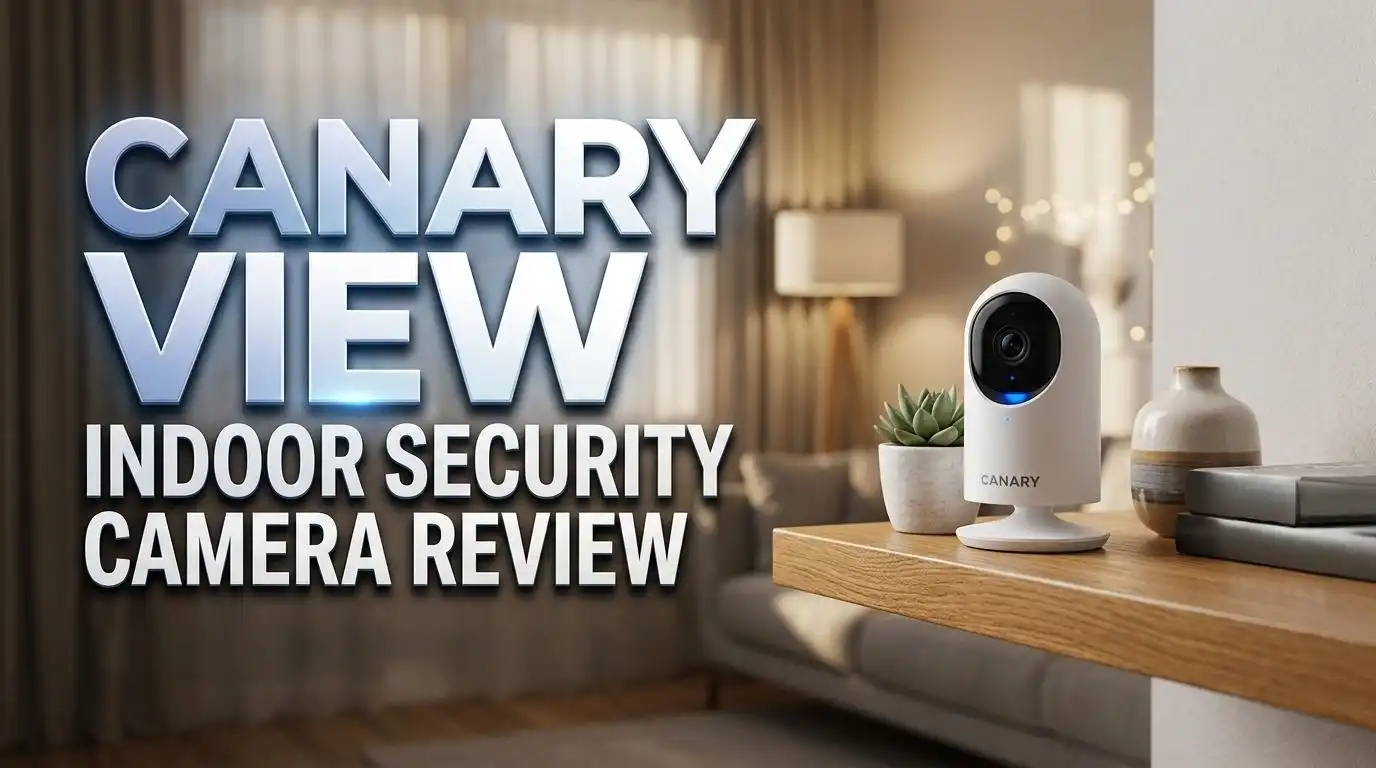
Canary View Indoor Security Camera Review 2026: Still Worth Buying?
Are you searching for an affordable indoor security camera that actually delivers on its promises? The Canary View Indoor Security Camera has been a popular pick for homeowners who want clear video, smart alerts, and a sleek design without spending a fortune.
But in 2026, with so many new competitors flooding the market, does the Canary View still hold up?
In this review, we break down everything you need to know about the Canary View. We cover its 1080p HD video quality, 147-degree wide-angle lens, night vision, motion alerts, and smart home integration.
Read on to find out if this budget-friendly security camera deserves a spot in your home.
Key Takeaways
- The Canary View records in 1080p Full HD and offers a 147-degree wide-angle lens. This gives you a wide field of view that covers most rooms in a single frame. The image quality is sharp during the day and solid at night with 12 infrared LEDs.
- Night vision works automatically. The camera switches to infrared mode without any manual input. You can monitor dark rooms like basements or nurseries with clear visibility up to several feet.
- Motion alerts and person detection are included. The Canary View can distinguish between general motion and a human presence. This reduces false alerts from pets or shadows.
- Alexa and Google Assistant compatibility makes the camera easy to integrate into existing smart home setups. You can use voice commands to check the live feed on compatible displays.
- The Canary Premium subscription costs $19.99 per month for the first camera. It adds 60-day cloud recording, video clips, smart alerts, and extended warranty. Without a subscription, features are limited.
- The camera lacks a built-in siren and environmental sensors. Unlike the Canary Pro, the View does not monitor air quality, temperature, or humidity. It also has no onboard alarm to scare away intruders.
Canary View Indoor Security Camera Overview

- AWARD-WINNING TECHNOLOGY & DESIGN: Trusted by over a million users & over 10,000 first...
- INDOOR WIFI CAMERA: 24/7 watch live HD surveillance, motion notification, two-way audio...
Last update on 2026-09-26 / Affiliate links / Images from Amazon Product Advertising API
The Canary View is an indoor Wi-Fi security camera made by Canary, a company founded in 2012 and later acquired by Smartfrog. The camera records video in 1080p HD resolution and connects to your home network through 2.4 GHz Wi-Fi. It is a plug-in device, so it needs a constant power source to operate.
The View was originally released as a more affordable option compared to the Canary Pro. It delivers the same video quality and wide-angle lens but removes features like the built-in siren and environmental monitoring.
This makes it a streamlined, no-frills security camera that focuses on what matters most: clear video and smart alerts.
At a retail price of around $99, the Canary View sits in the budget to mid-range segment. It appeals to users who want reliable indoor monitoring without paying for extras they might not need. The camera works well as a standalone device or as a companion to the Canary Pro.
Design and Build Quality
The Canary View features a compact, cylindrical design that blends in with most home decor. It is finished in matte black and stands upright on a flat base. The camera measures just a few inches tall, making it easy to place on shelves, tables, or countertops.
Despite its small size, the camera feels lightweight when you pick it up. Some users report that it may feel a bit less premium than heavier competitors. However, the build quality is solid enough for everyday indoor use.
One nice design touch is the minimalist look. There are no bulky antennas or visible cables hanging from the body.
The power cable runs neatly from the back, and the front-facing lens sits flush with the housing. Overall, it looks more like a small speaker than a security camera, which is a plus for discreet placement.
Video Quality and Resolution
The Canary View captures footage in 1080p Full HD resolution. This produces clear and detailed video during daytime conditions. Faces, objects, and room details are easy to identify in the recorded clips and live stream.
The camera also includes a 10x digital zoom feature. While digital zoom does reduce clarity at higher magnification, it is useful for zooming in on specific areas of a room. You can pinch to zoom directly in the Canary app.
However, some reviewers have noted that daytime video can sometimes appear slightly washed out compared to competitors with higher resolution sensors. In bright conditions, colors look accurate but not as vibrant as 2K or 4K cameras. For a 1080p camera at this price point, the video quality is above average and suitable for most home security needs.
147-Degree Wide-Angle Lens
One of the biggest selling points of the Canary View is its 147-degree wide-angle lens. This field of view is wider than many competing indoor cameras, which typically offer between 110 and 130 degrees. The extra coverage means you can see more of a room with a single camera.
The wide lens captures corners, doorways, and large open spaces without blind spots. This is especially useful in living rooms, open-plan kitchens, or large nurseries. You get a near-panoramic view that reduces the need for multiple cameras.
There is a slight fisheye distortion at the edges of the frame. This is common with wide-angle lenses and does not significantly affect usability.
Objects near the center of the frame appear natural and well-proportioned. The distortion becomes noticeable only at the far edges, and most users find it acceptable for a security camera.
Top 3 Alternatives for Canary View Indoor Security Camera
1. Blink Mini Indoor Security Camera

- Monitor the inside of your home day and night with our 1080P HD indoor plug-in smart...
- See, hear, and speak to people and pets in your home from your smartphone with Blink...
Last update on 2026-09-26 / Affiliate links / Images from Amazon Product Advertising API
The Blink Mini is a compact plug-in camera that records in 1080p HD. It offers two-way audio, motion detection, and Alexa integration. At under $35, it is one of the most affordable indoor cameras available. It is a great choice if you want basic security on a tight budget.
2. Wyze Cam v3

- Motion & Sound Detection: Wyze Cam sends an alert to your phone when baby is crying...
- Indoor/Outdoor: Wyze Cam v3 is a wired video camera with an IP65 rating so you can...
Last update on 2026-09-26 / Affiliate links / Images from Amazon Product Advertising API
The Wyze Cam v3 delivers 1080p video with color night vision and works both indoors and outdoors. It supports local storage via microSD card and offers smart AI detection with a Cam Plus subscription. Its low price and versatile design make it a strong competitor.
3. Ring Indoor Cam (2nd Gen)

- Get the whole picture – Watch over your home day or night in 1080p HD video with Live...
- Video previews – Record a few extra seconds before every motion event with Advanced...

Last update on 2026-09-26 / Affiliate links / Images from Amazon Product Advertising API
The Ring Indoor Cam offers 1080p HD video, color night vision, and two-way talk. It integrates seamlessly with Alexa and the Ring ecosystem. If you already use Ring doorbells or other Ring devices, this camera fits right into your existing setup.
Night Vision Performance
The Canary View uses 12 infrared LEDs to provide automatic night vision. The camera detects low-light conditions and switches to night mode without any manual input. This gives you clear black-and-white footage in complete darkness.
Night vision range covers several feet, making it suitable for standard-sized rooms like bedrooms, nurseries, and living areas. Reviewers from PCMag noted that day and night video quality was excellent during their tests. Objects and people remain identifiable even in very dark conditions.
One limitation is that the Canary View does not offer color night vision. Competitors like the Wyze Cam v3 provide color footage at night using a Starlight sensor. If color night vision is important to you, the Canary View may fall short. For standard night monitoring, though, the infrared performance is reliable and consistent.
Motion Detection and Smart Alerts
The Canary View includes motion detection with person detection technology. This means the camera can tell the difference between a person walking through a room and a pet moving across the floor. Person detection helps reduce false alerts, which is a common problem with basic motion sensors.
When the camera detects motion, it sends a push notification to your smartphone through the Canary app. You can then open the app to view a live feed or recorded clip. The alerts arrive quickly, with minimal delay between the detected event and the notification.
You can customize alert settings based on your preferences. The camera offers an Away mode that monitors for all activity and a Home mode that lets you adjust sensitivity. There is also a Private mode that turns off recording entirely, giving you full control over when the camera is active.
Two-Way Audio
The Canary View supports two-way talk, which lets you listen and speak through the camera using the Canary app. This feature is useful for communicating with family members, checking in on pets, or even warning an intruder that they are being watched.
The speaker and microphone quality are decent for a security camera. Voices come through clearly on both ends, though the audio is not as crisp as what you would get from a dedicated intercom system. There is a slight delay during two-way conversations, which is normal for Wi-Fi cameras.
Two-way audio works in all camera modes, including live view and during recorded events. It adds an extra layer of interaction that many users appreciate. For parents monitoring a nursery or pet owners checking on their animals, this feature provides real-time communication without needing a separate device.
Canary App and User Experience
The Canary app is available for both iOS and Android devices. It serves as the main control hub for the camera. Through the app, you can view live video, review recorded clips, adjust settings, and receive push notifications.
The app interface is clean and easy to use. Setting up the Canary View takes just a few minutes. You download the app, create an account, plug in the camera, and follow the on-screen instructions to connect it to your Wi-Fi network. Most users report a smooth setup experience.
One area of improvement is cloud storage access. Without a Canary Premium subscription, you only get limited video history. The free plan provides basic motion alerts but restricts access to older clips.
For full cloud recording with 60-day storage, you need the $19.99 per month Premium plan. This ongoing cost is something to consider before you buy.
Canary Premium Subscription Plans
The Canary View offers a free Basic plan that includes 24/7 live streaming, motion notifications, and access to the most recent video events. However, the Basic plan does not include video clips, extended cloud storage, or advanced alert features.
The Canary Premium plan costs $19.99 per month for the first camera. Each additional camera at the same location costs $6.99 per month.
Premium subscribers get 60-day cloud video recording, smarter motion alerts with video clips, person detection, a one-tap call to police, a personal safety button, and an extended device warranty.
Compared to competitors, the Canary Premium plan is on the higher side. Services like Wyze Cam Plus cost significantly less per month. If you plan to use the Canary View long-term, the subscription fees will add up.
This is one of the main criticisms of the Canary ecosystem. The camera itself is affordable, but the full experience requires a paid plan.
Smart Home Integration
The Canary View works with Amazon Alexa and Google Assistant. This lets you use voice commands to pull up the camera feed on compatible smart displays like the Echo Show or Google Nest Hub. You can say something like “Alexa, show me the living room” to view a live stream instantly.
The integration is straightforward. You link your Canary account to the Alexa or Google Home app, and the camera appears as a connected device. From there, you can include it in routines and automations for a more connected smart home experience.
However, the Canary View does not support Apple HomeKit or IFTTT. If you are an Apple ecosystem user or rely on IFTTT for advanced automation, this camera will not fit into your setup. This is a notable limitation compared to some competitors that offer broader smart home compatibility.
Canary View vs. Canary Pro
The Canary View and Canary Pro share the same 1080p resolution and 147-degree wide-angle lens. Both cameras offer night vision, motion detection, and smart home integration. The core video experience is identical across both models.
The key differences lie in the extra features. The Canary Pro includes a built-in 90+ dB siren that can be triggered remotely through the app. It also has HomeHealth technology, which monitors air quality, temperature, and humidity in your home. The View lacks both of these features.
The Canary Pro retails at $169, while the View costs $99. If you want a straightforward camera for video monitoring and alerts, the View offers great value.
If you need environmental monitoring and a siren for added security, the Pro is the better investment. Many users buy both: a Pro as the main unit and a View as a secondary camera.
Pros and Cons of the Canary View
The Canary View has several clear strengths. It delivers sharp 1080p video, offers a wide 147-degree field of view, and includes reliable night vision.
Person detection is a valuable feature that reduces false alerts. The sleek design fits any room, and smart home integration with Alexa and Google is simple.
There are also some drawbacks. The camera requires a subscription for full cloud storage and advanced features. The free plan is quite limited. There is no built-in siren, no environmental sensors, and no support for Apple HomeKit. The monthly Premium cost of $19.99 is higher than many competitors.
Battery-free operation is another consideration. The Canary View must be plugged in at all times, which limits placement options. You need a nearby power outlet wherever you install the camera. For users who want wireless flexibility, a battery-powered camera would be a better fit.
Who Should Buy the Canary View?
The Canary View is a good fit for homeowners and renters who want a simple, effective indoor security camera. It works well for monitoring living rooms, bedrooms, nurseries, and home offices. The wide-angle lens means one camera can cover a large area.
Parents and pet owners will appreciate the two-way audio and live streaming features. You can check in on your baby or pets from anywhere using the Canary app. The person detection feature adds peace of mind by sending alerts only for meaningful events.
The camera is also suitable for budget-conscious buyers who do not need environmental sensors or a siren. At $99 for the hardware, it is an affordable entry point into home security. Just keep the subscription costs in mind if you want full access to cloud storage and advanced alerts.
Final Verdict
The Canary View Indoor Security Camera remains a solid choice for basic indoor monitoring in 2026. It delivers reliable 1080p video, excellent wide-angle coverage, and smart alerts with person detection. The design is clean, the app is user-friendly, and Alexa and Google integration adds convenience.
The main drawback is the subscription model. Without Canary Premium, you miss out on key features like cloud recording and video clips. The $19.99 monthly cost is steep compared to alternatives. If you are comfortable with the subscription, the full experience is worth it.
Overall, the Canary View earns a 7.5 out of 10. It does the fundamentals well and looks great doing it. For the price, it is a dependable indoor camera that covers the basics with style.

- AWARD-WINNING TECHNOLOGY & DESIGN: Trusted by over a million users & over 10,000 first...
- INDOOR WIFI CAMERA: 24/7 watch live HD surveillance, motion notification, two-way audio...
Last update on 2026-09-26 / Affiliate links / Images from Amazon Product Advertising API
Frequently Asked Questions
Does the Canary View work without a subscription?
Yes, the Canary View works without a subscription on the free Basic plan. You get 24/7 live streaming and motion notifications. However, features like 60-day cloud storage, video clips, and advanced alerts require the Canary Premium plan at $19.99 per month.
Can the Canary View record continuously?
The Canary View does not record continuously to local storage. It records event-based clips triggered by motion detection. With a Premium subscription, these clips are stored in the cloud for up to 60 days.
Does the Canary View have two-way audio?
Yes, the Canary View includes two-way talk. You can listen and speak through the camera using the Canary app on your smartphone. This is useful for checking on kids, pets, or communicating with household members.
Is the Canary View compatible with Apple HomeKit?
No, the Canary View does not support Apple HomeKit. It works with Amazon Alexa and Google Assistant only. If you use Apple devices, you may want to consider an alternative camera with HomeKit support.
Can I use the Canary View outdoors?
No, the Canary View is an indoor-only camera. It is not weatherproof or rated for outdoor conditions. For outdoor security, consider the Canary Flex or other weather-resistant cameras.
How wide is the Canary View’s field of view?
The Canary View has a 147-degree wide-angle lens. This is wider than most indoor security cameras and allows you to see a large portion of any room from a single vantage point. It minimizes blind spots and reduces the need for multiple cameras.

I’m Lipi, a passionate blogger with a keen interest in artificial intelligence and its applications. On my blog, lipiai.blog, I share information about AI, review different AI tools, and provide helpful guides. My goal is to make AI easy to understand for everyone. I enjoy simplifying complex ideas so that both beginners and tech-savvy folks can learn.