
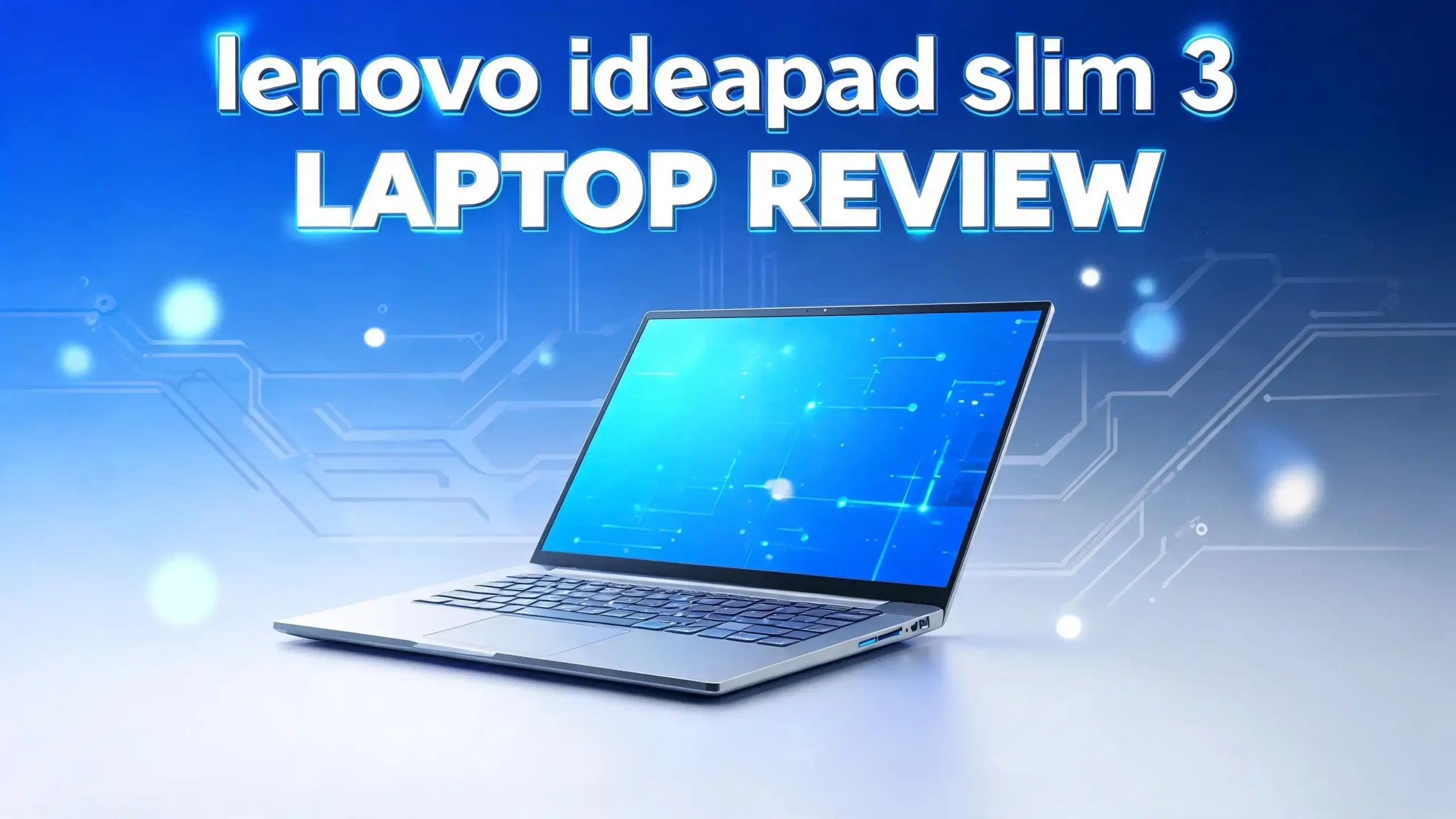
Lenovo IdeaPad Slim 3 Laptop Review 2026: Is This Worth Your Money?
The Lenovo IdeaPad Slim 3 keeps showing up on every budget laptop list, and shoppers keep asking the same question. Does it actually deliver good value, or does the low price hide some painful trade offs?
This review answers that question in plain terms. I looked at real test data, hands on impressions, and the latest 2026 configurations to give you a clear picture. You will learn what this laptop does well, where it falls short, and who should buy it.
By the end, you will know if the IdeaPad Slim 3 fits your needs or if your money belongs somewhere else. Keep reading, because the details below will save you from a costly mistake.
Key Takeaways
- The Lenovo IdeaPad Slim 3 offers solid build quality and a clean modern design, even though the body uses plastic instead of metal.
- The display is the weakest part. It looks dim and dull, with only 300 nits brightness and a basic 60Hz refresh rate.
- Daily tasks like web browsing, Office work, and video streaming run smoothly, but heavy editing and gaming push it too hard.
- Battery life lands near nine hours in video tests, yet real world use often drops below a full workday.
- The laptop shines most when it goes on sale. At full retail price it feels too expensive for what you get.
- You get a 1080p webcam, IR face login, and a good port selection, which adds real everyday value.
What Is the Lenovo IdeaPad Slim 3?
The Lenovo IdeaPad Slim 3 is a budget friendly 15 inch laptop built for everyday home and office use. Lenovo aims this model at students, families, and casual users who want a reliable machine without a high price tag. It sits in the entry level part of the IdeaPad family, below the Slim 5 and Slim 7 models.

- Web vision Including Word, Excel, OneNote, Outlook, PowerPoint, Publisher, Access
Last update on 2026-10-26 / Affiliate links / Images from Amazon Product Advertising API
This laptop runs Windows 11 and comes in several configurations. You can find versions with Intel Core processors and others with AMD Ryzen chips. The 2026 editions include options with 8GB or 16GB of RAM and SSD storage that ranges from 128GB up to 1TB. This flexibility lets buyers pick a setup that matches their budget.
The Slim 3 focuses on the basics. It handles browsing, email, document editing, video calls, and media streaming with ease. Lenovo did not design it for gaming or heavy creative work. Instead, the goal is clean performance for simple tasks.
The brand name carries weight here, since Lenovo has a strong track record with affordable laptops. For many shoppers, the IdeaPad Slim 3 is the first laptop they consider when they want value and trust in one package.
Design and Build Quality
The IdeaPad Slim 3 looks far better than its price suggests. Lenovo wrapped the laptop in smooth plastic that feels solid in the hands. There is nothing creaky or cheap about the chassis. The Cosmic Blue and Arctic Grey color options give it a clean, modern look that copies the style of pricier Lenovo models.
The hinge feels firm and opens a full 180 degrees, so you can lay the screen flat on a table. One small drawback is that you need both hands to open the lid, since the base is light. This is a common trait in budget laptops, so it is not a deal breaker.
The laptop weighs around 3.59 pounds and measures about 0.74 inches thick. That makes it easy to carry in a bag for school or work. It is not the thinnest laptop on the market, but it stays portable enough for daily travel.
Lenovo skipped a metal body to keep costs down, and that choice shows in small ways. The deck flexes a little under firm pressure. Still, the overall feel is premium for the price range. You get a laptop that does not look or feel like a bargain machine. For a budget pick, the design and build quality earn real praise and set a strong first impression.
Display Quality
The display is where the IdeaPad Slim 3 stumbles the most. The model uses a 15.3 inch IPS panel with a 1920 by 1200 resolution and a 60Hz refresh rate. On paper this sounds fine, but the real experience falls short of expectations.
The screen tops out at 300 nits of brightness, which feels dim in practice. Even at full brightness, many users wish for more light. The colors look dull and washed out compared to better panels. Contrast is weak, so images lack the punch you see on mid range laptops.
The anti glare coating is a bright spot. It works well and cuts down reflections in bright rooms. This helps in offices and near windows. The panel also supports touch input, which adds convenience for scrolling and tapping.
The 60Hz refresh rate is standard for this class, so motion looks fine for normal use. Still, a higher resolution or richer colors would lift the whole experience. For a laptop at this price, the screen is the part that holds it back the most.
If you mostly read text, browse the web, and write documents, the display does the job. But if you watch a lot of movies or care about vivid color, this panel will disappoint you. This is the single biggest weakness in the entire package.
Performance and Processor Power
The IdeaPad Slim 3 handles daily tasks well but does not aim for power users. The Intel version tested came with an Intel Core 5 210H chip and 16GB of DDR5 RAM. Other configurations use AMD Ryzen processors, which many buyers prefer for better efficiency.
For normal use, the performance is smooth and reliable. Web browsing, Office apps, Spotify, and video calls run without lag. The 16GB of RAM helps the system stay responsive when you open many browser tabs. This is more than enough for students and office workers.
In benchmark tests, the laptop scored a PCMark 10 result of 5,763, which trails pricier machines but stays fine for everyday work. The Cinebench multi thread score of 3,270 shows it is not built for heavy video rendering. A Handbrake encode took nearly 39 minutes, so this is not the laptop for serious media work.
Graphics power is the weak point. The integrated Intel Graphics scored only 1,164 in 3DMark Time Spy. That is far behind newer chips, so gaming and GPU heavy apps will struggle. You can play light games at low settings, but that is the limit.
The bottom line is simple. The IdeaPad Slim 3 is great for light to medium tasks but not for demanding work. Match your needs to its strengths and you will stay happy.
Top 3 Alternative for Lenovo IdeaPad Slim 3

- INTEL CORE i7 PERFORMANCE: Powered by the 11th Gen Intel Core i7-1165G7 processor with...
- 15.6" FULL HD DISPLAY: Enjoy clear, detailed visuals on the spacious 15.6-inch Full HD...
Last update on 2026-10-26 / Affiliate links / Images from Amazon Product Advertising API

- Performance for Productivity: “POWERFUL FOR STUDENTS & PROFESSIONALS - Intel 4-Core N...
- All-Day Battery & Portability: “ALL-DAY BATTERY LIFE & ULTRA-PORTABLE - Long-lasting...
Last update on 2026-10-26 / Affiliate links / Images from Amazon Product Advertising API

- 【Processor】The Intel Core i3 1215U (up to 4.4GHz) brings the perfect combination of...
- 【Upgraded】Up to 40GB DDR4 RAM significantly increases performance, and up to 2TB M...
Last update on 2026-10-26 / Affiliate links / Images from Amazon Product Advertising API
Keyboard and Trackpad Experience
The keyboard on the IdeaPad Slim 3 is comfortable for daily typing. Lenovo is known for good keyboards, and this one mostly lives up to that name. The keys have a backlight, which helps when you work in dim rooms.
On larger 15 inch models, Lenovo adds a full number pad on the right side. This is a nice touch for people who enter numbers often, like accountants or students. Some users may prefer no number pad, but most will find it useful.
The typing feel is decent but not perfect. The keys feel a little mushy compared to higher end Lenovo laptops. You may notice the plastic around the keys press down as you type fast. This is common in budget machines and does not ruin the experience.
The trackpad sits slightly left of center, which lines it up under the main keys. The surface is smooth and plastic, and the click action feels firm and satisfying. A glass trackpad would feel nicer, but this one works well for the price.
Overall, the keyboard and trackpad combo is solid. You can type long documents and navigate the screen with comfort. These input tools are good enough that most users will have no complaints during daily work. For a budget laptop, this is a reliable and pleasant setup.
Battery Life and Charging
Battery life on the IdeaPad Slim 3 is decent but not outstanding. The laptop packs a 60 watt hour battery, which is a reasonable size for this class. Lenovo could have used a smaller cell, so this is a fair choice.
In a video playback test, the laptop lasted about 561 minutes, which is nearly nine and a half hours. That number looks strong on paper. But video playback is the easiest task for any laptop, so real world battery life will be lower.
In daily mixed use, the battery often falls short of a full eight hour workday. Web browsing, brightness, and background apps drain it faster. The older Intel chip is less efficient than newer processors, which hurts the runtime. The AMD versions tend to last a bit longer in real use.
One thing to note is the charging method. This laptop does not charge through USB C. Instead, it uses a separate barrel power connector. This means you cannot top it up with a phone charger or a portable power bank.
For most users, the battery will get you through a morning of work or a few hours of class. Just plan to keep the charger nearby for long days. If all day battery life is your top need, you may want to look at the AMD models or other options on this list.
Connectivity and Ports
The IdeaPad Slim 3 offers a strong port selection for a budget laptop. You get a good mix of modern and classic connections, which adds real value. Many laptops at this price cut ports, but Lenovo kept things useful here.
On the right side, you find a USB Type A port and a full size SD card reader. The SD slot is great for photographers and students who move files often. On the left side, you get a second USB Type A port, a USB Type C port, an HDMI 1.4 out, a power connector, and a combo audio jack.
This layout means you can plug in an external monitor, a mouse, a flash drive, and headphones all at once. The mix of USB A and USB C gives you wide device support. The HDMI port makes it easy to connect to a TV or projector.
On the wireless side, the laptop supports Wi Fi 6 and Bluetooth 5.2. These standards are fine for most homes and offices. However, they are not the newest. You will not find Wi Fi 7 or Bluetooth 5.4 here, which some pricier laptops now offer.
For everyday use, the connectivity is more than enough. You can link all your common accessories without a dongle. This port variety is one of the laptop’s quiet strengths and a real plus for daily work.
Webcam, Microphone, and Biometrics
The IdeaPad Slim 3 covers the basics for video calls and security. It comes with a 1080p webcam, which is a step up from the low quality cameras on many budget laptops. The image is clear enough for work meetings and video chats.
The webcam includes a physical privacy shutter. This small slider lets you cover the lens when you are not on a call. It is a smart privacy feature that adds peace of mind. The camera colors look a bit washed out, but the quality is fine for normal use.
The laptop also has dual array microphones. They pick up your voice well during calls, though the sound quality is just average. For most video meetings, the mic does the job without issues. You may want a headset for the best audio.
The standout feature here is the IR camera with Windows Hello face login. This lets you sign in with your face in a second, with no password needed. Face login is fast and reliable, and it adds a layer of security and ease. Many budget laptops skip this feature, so its presence here is a nice bonus.
Together, these tools make the IdeaPad Slim 3 ready for remote work and online classes. The 1080p camera, privacy shutter, and face login form a complete package for daily video needs. This combination raises the value of the laptop for modern users.
Speakers and Sound Quality
Sound is one area where the IdeaPad Slim 3 falls behind. The built in speakers are quiet and lack depth. They sit on the lower side of the laptop and do not fill a room with sound.
The audio quality leans toward tinny. Bass is weak, and the instrument separation in music is poor. In testing, songs lacked the rich low end you want for music. For casual YouTube videos and podcasts, the speakers work fine. But they will not satisfy music or movie fans.
The volume also feels low. Even at full blast, the sound stays soft compared to better laptops. In a quiet room, this is fine. In a noisy space, you may struggle to hear clearly.
The good news is that the combo audio jack works well. Plug in headphones or external speakers and the sound improves a lot. Most users who care about audio will use headphones anyway. So the weak built in speakers may not bother everyone.
For a budget laptop, average speakers are common, so this is not a shock. Just set your expectations. If you watch movies or listen to music often, plan to use headphones or external speakers. The built in audio is the bare minimum and clearly a cost saving choice. It does the job for simple tasks but nothing more.
Storage and Memory Options
The IdeaPad Slim 3 gives buyers flexible storage and memory choices. This range lets you pick a setup that fits your budget and your needs. Lenovo offers several 2026 configurations to choose from.
On the memory side, you can get 8GB or 16GB of RAM. The 8GB option works for light use like browsing and basic Office work. The 16GB option is the better pick if you keep many tabs open or run several apps at once. More RAM keeps the laptop smooth over time.
For storage, the choices range from a small 128GB SSD up to a roomy 1TB SSD. The SSD storage means fast boot times and quick file access. Even the base model feels snappy because it uses solid state storage instead of a slow hard drive.
The higher end models use PCIe Gen 4 SSDs, which offer fast read and write speeds. This helps when you open large files or transfer data. For most users, a 256GB or 512GB SSD hits the sweet spot of price and space.
If you store lots of photos, videos, or games, aim for the larger SSD options. The good news is that the SD card slot lets you add storage cheaply with a memory card. This makes the laptop more flexible for media heavy users. Overall, the storage and memory options are a strong point that lets you match the laptop to your real needs.
Software and Pre Installed Apps
The IdeaPad Slim 3 ships with Windows 11 Home out of the box. This gives you the latest features, a clean Start menu, and strong security updates. Windows 11 runs well on this hardware for everyday tasks.
Like most budget laptops, the Slim 3 comes with some pre installed apps. You may see McAfee antivirus trials and a few popup notifications when you first turn it on. These extras help Lenovo keep the price low. They can feel annoying at first.
The good news is that you can remove these apps with ease. A few minutes of cleanup will give you a fresh, clutter free system. Once you uninstall the trials, the laptop feels much smoother. This is a simple one time task.
Some 2026 models bundle a Microsoft 365 subscription, which adds Word, Excel, and PowerPoint. This is handy for students and office workers who need these tools. Check the listing to see if your chosen model includes this deal.
The laptop does not include a neural processing unit, so it is not a Copilot Plus PC. This means you miss some of the newest AI features built into Windows. For most users, this is a minor point, since the standard Windows experience still works great. After a quick cleanup, the software side is clean and ready to use for daily work and study.
Who Should Buy the Lenovo IdeaPad Slim 3?
The IdeaPad Slim 3 fits a clear group of users. Knowing who it serves best will help you decide if it is right for you. This laptop is built for simple, everyday tasks, not heavy work.
Students are a great match. The laptop handles research, essays, online classes, and video calls with ease. The number pad and SD card reader add useful features for school work. The face login also makes daily use fast and simple.
Home users and families will also find value here. If you mainly browse the web, check email, stream shows, and shop online, this laptop does it all. The clean design and reliable build make it a safe choice for casual use.
Office workers who need a basic machine for documents, spreadsheets, and meetings will be happy too. The 16GB RAM models keep many tasks running at once without slowdown.
This laptop is not for gamers or creative pros. The weak graphics and average display make it a poor fit for gaming, video editing, or photo work. If you need power, look elsewhere on this list.
The smartest move is to buy this laptop on sale. At full retail price it feels too costly. But when the price drops, it becomes a strong value pick. If you match its strengths to your simple needs and grab a deal, the IdeaPad Slim 3 will serve you well for years.
Final Verdict
The Lenovo IdeaPad Slim 3 is a mixed bag that leans positive when the price is right. It offers a clean design, solid build quality, and reliable everyday performance. The 1080p webcam, face login, and good port selection add real value for daily users.
The weak points are clear. The dim and dull display is the biggest letdown. The speakers are quiet, the graphics are basic, and the battery life falls short of a full workday in real use. At full retail price, these flaws make the laptop feel overpriced.
But the story changes on sale. When the price drops, the IdeaPad Slim 3 becomes a smart budget pick for students, families, and office workers. If your needs are simple and you find a good deal, this laptop will do the job well. Match it to the right tasks and you will not regret the purchase.
Frequently Asked Questions
Is the Lenovo IdeaPad Slim 3 good for students?
Yes, the IdeaPad Slim 3 is a strong choice for students. It handles research, essays, online classes, and video calls with ease. The number pad, SD card reader, and face login add useful features for school work. Just aim for the 16GB RAM model for the smoothest experience.
Can the Lenovo IdeaPad Slim 3 run games?
The IdeaPad Slim 3 can run light games at low settings only. Its integrated graphics are weak, so modern and demanding games will struggle. This laptop is built for daily tasks, not gaming. If you want to play games, choose a laptop with a dedicated graphics card instead.
How long does the battery last on the IdeaPad Slim 3?
The battery lasts about nine and a half hours in video playback tests. In real world mixed use, it often drops below a full eight hour workday. The AMD models tend to last a bit longer. Plan to keep the charger nearby for long days of work or study.
Does the Lenovo IdeaPad Slim 3 charge through USB C?
No, the IdeaPad Slim 3 does not charge through USB C. It uses a separate barrel power connector instead. This means you cannot top it up with a phone charger or a portable power bank. Always carry the included charger when you travel.
Is the Lenovo IdeaPad Slim 3 worth buying in 2026?
The IdeaPad Slim 3 is worth buying when it is on sale. At full retail price it feels too expensive for what you get. On sale, it offers solid value for students, families, and office workers who need a reliable laptop for simple tasks. Match it to light use and grab a deal.
What is the difference between the Intel and AMD versions?
The AMD Ryzen versions usually offer better battery life and efficiency than the Intel models. Both handle daily tasks well, but the AMD chips often feel more balanced for the price. Check the exact specs of each listing, since RAM, storage, and screen options vary across models.

I’m Lipi, a passionate blogger with a keen interest in artificial intelligence and its applications. On my blog, lipiai.blog, I share information about AI, review different AI tools, and provide helpful guides. My goal is to make AI easy to understand for everyone. I enjoy simplifying complex ideas so that both beginners and tech-savvy folks can learn.


