ASUS ROG Zephyrus G16 Gaming Laptop Review 2026: Worth Trying?
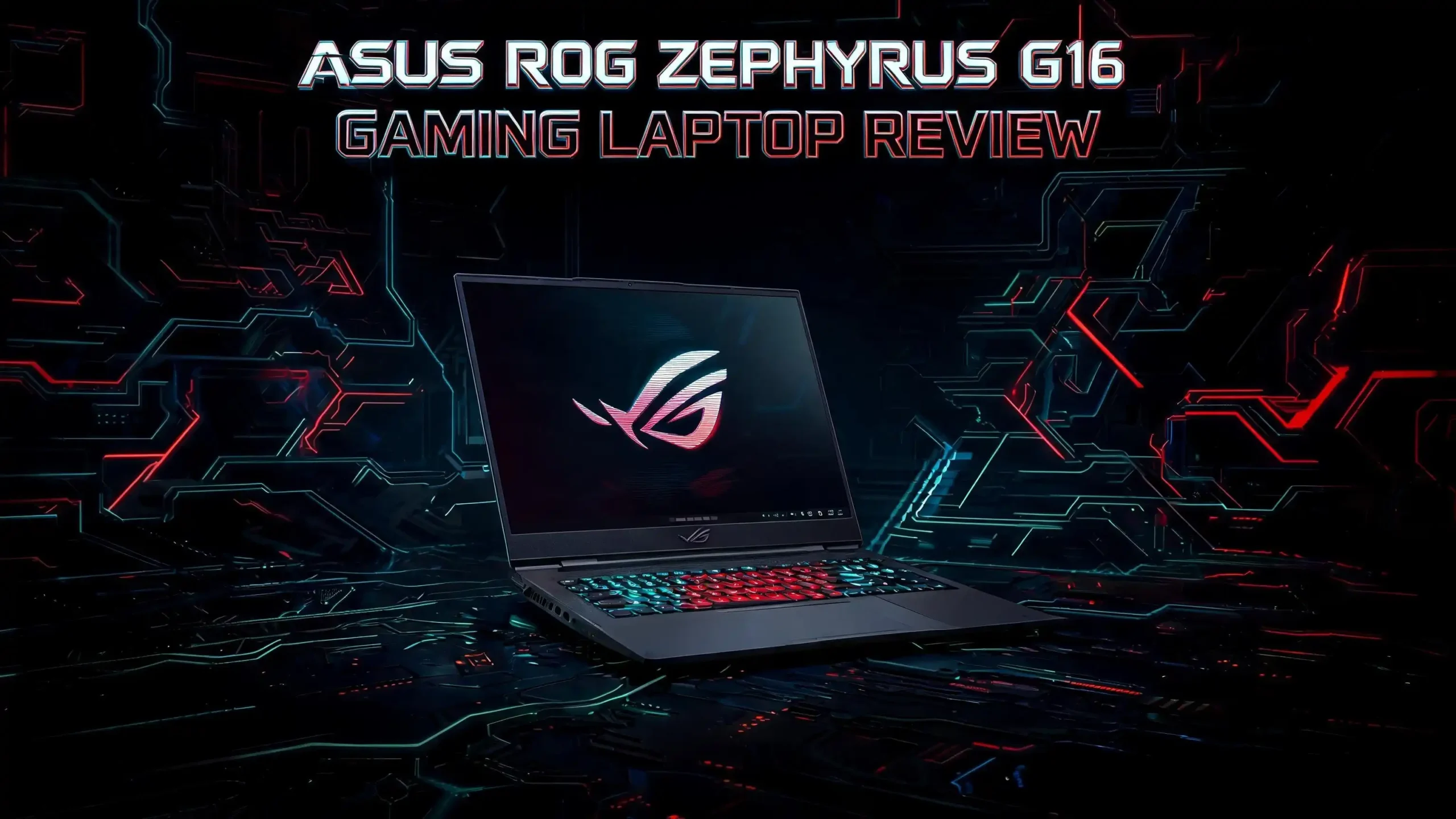
The ASUS ROG Zephyrus G16 returns for 2026, and it might be the most refined thin gaming laptop you can buy right now. It packs serious power into a body that weighs under two kilograms.
You get the latest Intel Panther Lake processor, an NVIDIA Blackwell RTX GPU, and a stunning OLED screen that hits 1100 nits in HDR. This laptop tries to do everything. It games hard, edits video, and still slips into a backpack without weighing you down.
But does it live up to the hype in 2026? Prices have climbed, and rivals like the Razer Blade 16 and Lenovo Legion Pro 7i are fighting for the same buyers. I dug into the specs, the benchmarks, and the real world performance to give you the full picture.
This review covers design, display, gaming, battery life, heat, and value. By the end, you will know if the Zephyrus G16 deserves a spot on your desk. Let us get into it.
Key Takeaways
- Top tier portability: The Zephyrus G16 weighs around 1.95 kg for the RTX 5080 model and stays under 15 mm thick, making it one of the lightest 16 inch gaming laptops available in 2026.
- Gorgeous OLED display: The new Samsung OLED panel delivers 500 nits in SDR and 1100 nits peak HDR, with 2.5K resolution, 240Hz refresh, and 100% DCI-P3 color coverage.
- Strong gaming power: With the Intel Core Ultra 9 386H and RTX 5080, it runs Cyberpunk 2077 at 92 fps and Black Myth Wukong smoothly with ray tracing on.
- Premium build quality: The CNC aluminum unibody chassis feels solid, looks clean, and rivals the MacBook Pro in fit and finish.
- Decent battery for the class: A 90Wh battery gives 8 to 11 hours of light use, which is excellent for a gaming machine this powerful.
- High price tag: Premium specs mean a premium cost, with top configurations reaching well into the thousands.
ASUS ROG Zephyrus G16 2026 Overview
No products found.
The ASUS ROG Zephyrus G16 is a premium thin and light gaming laptop. It targets people who want power and portability in one package. You can game, edit, code, and create on this single machine. ASUS built it for gamers, creators, and professionals who travel often.
The 2026 model, code named GU606, updates the earlier GU605 version. It brings the new Intel Panther Lake chip and Blackwell RTX graphics. The biggest changes sit in the display and the cooling system. Both got real upgrades this year.
This laptop competes directly with the Apple MacBook Pro 16, the Dell XPS 16, the Razer Blade 16, and the Lenovo Yoga Pro 9. It stands out by mixing strong gaming chops with a clean, professional look. You will not feel embarrassed pulling it out in a meeting.
ASUS offers it in two colors. The lighter shade is called Platinum White, and the darker one is Eclipse Gray. Both feature the Slash Lighting LED bar on the lid. The 2026 version controls each of the 35 LEDs individually for finer effects. You can also turn the lights off for a cleaner look.
The chassis comes in two builds. The RTX 5060 and 5070 models use a lighter frame at around 1.85 kg. The RTX 5070 Ti, 5080, and 5090 models use a heavier frame with vapor chamber cooling at about 1.95 kg. This split lets ASUS keep weight low on cheaper models while cooling the powerful ones better.
Design and Build Quality
The Zephyrus G16 nails its design. The CNC machined aluminum unibody feels premium and sturdy. There is little flex in the lid or the deck. This is one of the best looking Windows laptops you can buy in 2026.
The metal surfaces have a slightly coarse texture. They are not as smooth as a MacBook, but this gives you better grip. The Eclipse Gray version shows smudges and fingerprints more easily, so keep that in mind. The coating could also chip over time on the darker model.
The laptop measures 354 mm wide, 246 mm deep, and from 14.9 mm thick. That is impressively slim for a 16 inch machine with this much power inside. It slips into most backpacks without a fight. You will appreciate this every time you carry it.
ASUS improved the hinges for 2026. They now adjust torque as you open the screen. The motion feels soft at first, then tightens to hold the display steady. The maximum opening angle still caps at 130 degrees, which some users find limiting for lap use.
Port selection is generous. On the left you get DC in, HDMI 2.1, one Thunderbolt 4 USB-C, one USB-A, and an audio jack. On the right you find another USB-A, a second USB-C with data and power delivery, and a fast SD UHS-II card reader. Both USB-C ports support charging, so you can plug in from either side. This flexibility is a real plus for travel.
Top 3 Alternative for ASUS ROG Zephyrus G16
If the Zephyrus G16 does not fit your needs or budget, these three laptops are strong choices. Each one offers a different mix of power, design, and price. I picked options that compete directly in the premium 16 inch space.
The Razer Blade 16 is the closest rival. It offers an even thinner build with RTX 5090 power and a sharp OLED screen, but it costs more. The Lenovo Legion Pro 7i trades some portability for raw performance, with a full power RTX 5080 and a strong cooling system. The MSI Stealth A16 AI Plus gives you a sleek, lightweight design with an AMD Ryzen chip and RTX 5070 Ti graphics at a more friendly price.

- ULTRA-THIN 14.9MM DESIGN — Featuring a new design, the Blade 16 is up to 30% smaller and...
- NVIDIA GEFORCE RTX 5090 LAPTOP GPU — Pushing up to 160 W TGP in a low profile chassis...
Last update on 2026-10-27 / Affiliate links / Images from Amazon Product Advertising API
No products found.

- AI Built-in: The AMD Ryzen AI 9HX 370 processor is first in their class to deliver AI...
- Power Your Passion: Intuitive navigation with faster performance, Windows 11 Pro is...

Last update on 2026-10-27 / Affiliate links / Images from Amazon Product Advertising API
The 16 Inch OLED Display
The display is the star of this laptop. ASUS uses a new Samsung Nebula HDR OLED panel that is much brighter than before. It hits 500 nits in SDR and up to 1100 nits in HDR peak. That makes it usable in bright rooms despite the glossy finish.
The panel keeps a 2.5K resolution at 2560 by 1600 pixels. It runs at a smooth 240Hz refresh rate with a 0.2ms response time. VRR and G-Sync support come built in. This combination makes games look fast and fluid.
Color performance is excellent. The screen covers 100% sRGB, 93.9% AdobeRGB, and 99.9% DCI-P3. Creators can trust these colors for photo and video work. The contrast is effectively infinite thanks to OLED black levels.
Since this is a non touch panel, the image looks clean and sharp. There is no graininess on solid white backgrounds, a problem you sometimes see on touch OLEDs. Text and photos look crisp and natural.
The usual OLED trade offs still apply. There is some flickering and a small risk of burn in if you misuse it. But OLED technology has matured a lot, so these are minor concerns for most people. The audio also deserves praise. Six speakers deliver loud, clear, and powerful sound, easily matching the MacBook Pro 16.
Keyboard and Touchpad Experience
The keyboard is one of the best in the premium laptop class. The typing feel beats most MacBooks and ThinkPads. The keys have good travel and a satisfying press. You can type all day on this machine.
The layout stays clean and minimal. There is no NumPad, just the media controls in the top left corner. Some users may miss a NumPad, so consider your workflow. The Platinum model has a white keyboard, while the Eclipse model uses gray keys.
The RGB lighting is single zone only. It is not per key, but the LEDs are bright and even. You will not get fancy effects like highlighting function keys, which Razer and Lenovo offer. It is a simple approach where you change only the base color.
The touchpad is large and made of smooth glass. It tracks well and palm rejection works most of the time. The big size can cause accidental touches when you use the laptop on your lap. This is a small annoyance on an otherwise great input setup.
For biometrics, you get an IR camera for face login. There is no fingerprint sensor in the power button. Face unlock works fast and reliably in good light.
Performance and Hardware
The 2026 Zephyrus G16 runs on the latest hardware. The Intel Core Ultra 9 386H is the top chip in Intel’s Panther Lake lineup. It has 4 performance cores, 8 efficiency cores, 4 low power cores, and 16 threads, reaching up to 4.9 GHz.
CPU performance is strong but not a huge leap over last year. It scores about 10% higher than the previous Core Ultra 9 285H. It matches AMD’s Ryzen AI 9 chips in most tasks. For heavy CPU work, Intel’s HX chips in bulkier laptops still pull ahead.
The GPU is where this laptop shines. Our test unit had the RTX 5080 16GB, which runs up to 135W in Turbo mode and 160W in Manual mode. This RTX 5080 beats the previous generation’s RTX 5090 by 5 to 10%. That is a real generational jump in graphics power.
Memory and storage are fast. The laptop uses 64 GB of onboard LPDDR5x-8533 RAM and ships with quick Gen4 SSDs. There are two M.2 2280 slots for storage expansion. You can add a second drive if you need more space.
In benchmarks, the numbers impress. It scored 18672 in 3DMark Time Spy and 21569 in Cinebench R23. The PCMark 10 score of 9435 shows strong all around performance. This laptop handles work, play, and creative tasks with ease.
Gaming Performance in 2026
Gaming is where the Zephyrus G16 earns its name. I tested it at native 2.5K resolution with the GPU in Ultimate mode. The results are excellent for such a thin machine.
In Cyberpunk 2077 at Ultra settings with no ray tracing, it hit 70 fps. With path tracing on plus DLSS 4.0 and frame generation, it reached 92 fps and even 158 fps with multi frame generation. Black Myth Wukong ran at 72 fps with ray tracing on and DLSS enabled.
Other games performed well too. Horizon Forbidden West hit 105 fps at Very High settings, climbing to 140 fps with DLSS. Shadow of the Tomb Raider ran at 138 fps, and Red Dead Redemption 2 managed 86 fps. These are smooth, playable numbers across the board.
Even Silent mode stays competitive. It delivers about 60% of Turbo performance, which is still fine for most games once you enable DLSS. This means you can game quietly without giving up too much.
There is a catch. Gaming performance sits at around 80% of what a full size, full power laptop delivers. Machines like the Legion Pro 7i or ROG Strix G16 with 175W GPUs are faster. But those are much bigger and heavier. For its size, the Zephyrus G16 is remarkable.
Cooling and Thermal Management
ASUS improved the cooling for 2026. The RTX 5070 Ti, 5080, and 5090 models use a vapor chamber with two fans and two radiators. The vapor chamber grew in size, and the fans move more air this year. These changes allow higher power limits.
The lighter RTX 5060 and 5070 models use a simpler heat pipe system with three fans. They run cooler and quieter because they push less power. This split design makes sense for the different tiers.
Under load, the laptop runs hot in Turbo and Manual modes. We measured CPU temperatures of 88 to 95 °C with the laptop flat on a desk. Lifting it off the desk dropped temperatures by several degrees. I recommend a small stand for long gaming sessions.
The good news is the surfaces you touch stay comfortable. The keyboard and palm rest stay around 33 to 37 °C even during gaming. The heat exits through the rear, away from your hands. This is smart thermal design.
A big win this year is stress test stability. The 2026 model passes the 3DMark stress test even when flat on the desk. Previous generations struggled with this. The new cooling clearly works better.
Fan Noise Levels
Fan noise is something to think about. This laptop can get loud in its higher power modes. Here is what to expect from each profile.
Silent mode stays under 35 dBA, and the fans often turn off completely. Performance mode runs at 42 to 43 dBA, which is the sweet spot for most users. It balances good performance with reasonable noise.
Turbo mode jumps to 46 to 48 dBA. Manual mode is the loudest at 52 dBA or higher. In these modes, you will want headphones to cover the fan noise during gaming.
For daily use, the laptop is quiet and pleasant. The fans stay off most of the time in Silent mode while streaming or browsing. This makes it great for work and casual use. Only heavy gaming pushes the fans hard.
The takeaway is simple. Pick your power mode based on your needs. Use Silent for work, Performance for balanced gaming, and Turbo only when you need maximum frames. The flexibility is a strength.
Battery Life Tested
Battery life is a strong point for a gaming laptop. The 90Wh battery delivers 8 to 11 hours of light use. That is excellent for a machine this powerful. The efficient Panther Lake chip helps a lot here.
For everyday tasks like browsing, writing, and video, you can get through most of a workday. Streaming Netflix on Silent mode is gentle on the battery. The fans stay off, and power draw stays low.
Gaming on battery is a different story. You can expect about 1 hour of gameplay running straight off the battery. Games need a lot of power, so the battery drains fast. This is normal for all gaming laptops.
The laptop supports USB-C charging up to 100W. You can game on PD power and get 2 to 3 hours of play. This is handy when you travel light and do not want to carry the big 250W brick.
The included 250W adapter charges the laptop quickly. ASUS claims you can hit 50% charge in about 30 minutes. Reviewers have confirmed this fast charging works as advertised. That is a real convenience for busy days.
Connectivity and Webcam
Connectivity is modern and complete. The laptop uses an Intel BE211 chip with Wi-Fi 7 and Bluetooth 5.4. It connects fast and stays stable in every scenario I tested. You will not have any wireless complaints.
The port layout covers all the basics. You get HDMI 2.1, Thunderbolt 4, multiple USB-A and USB-C ports, and an SD card reader. The fast UHS-II card reader is a treat for photographers and videographers.
The webcam is a weak spot. It uses an FHD sensor that looks decent in good light but struggles in low light. Many rivals now offer better cameras. ASUS really needs to improve this part on future models.
On the plus side, the webcam includes an IR sensor for face recognition. Windows Hello face login works fast and reliably. This makes signing in quick and easy without typing a password.
Software and Features
ASUS includes its Armoury Crate software suite. This app controls power profiles, fan curves, keyboard lighting, and audio settings. It is the central hub for managing your laptop. The interface is clean and easy to use.
You can switch between Silent, Performance, Turbo, and Manual modes with a click. Manual mode lets you push the CPU and GPU to their limits. This gives power users full control over performance and noise.
The laptop also has a MUX switch and Advanced Optimus. These features route the display directly to the GPU for better gaming performance. You can also save battery by using the integrated graphics for light tasks. The system switches automatically.
G-Sync support comes built in on the main display. This removes screen tearing and makes games look smoother. Combined with the 240Hz panel, the gaming experience feels buttery smooth.
Price and Value in 2026
Let us talk money, because this laptop is not cheap. Prices start around $1,699 for the base configuration. The top end RTX 5090 model with 64 GB RAM and 2 TB storage reaches about $5,499. That is a wide range.
The RTX 5080 model we tested sits in the upper middle. You pay a premium for the thin design, OLED screen, and build quality. This is the cost of getting power and portability in one package.
Is it worth it? For the right buyer, yes. If you need a powerful laptop you can carry every day, few machines do it better. The mix of gaming power, creator features, and portability is rare.
If you only game at a desk, you can save money elsewhere. A bulkier laptop like the Legion Pro 7i gives more raw power for less cash. But it will not match the Zephyrus for portability and looks.
The value depends on your priorities. Pay for the Zephyrus G16 if portability and design matter to you. Skip it if you want maximum frames per dollar. Either way, this is a premium product with a premium price.
Who Should Buy the ASUS ROG Zephyrus G16
This laptop suits specific buyers. It is perfect for people who blend work, play, and creativity. If you fit one of these groups, it is a strong choice.
Travelers and students will love the light weight and long battery life. You can carry it all day and game at night without a second machine. The clean design works in class, the office, or a coffee shop.
Content creators benefit from the color accurate OLED and the strong GPU. Video editors, photographers, and 3D artists get pro level tools. The fast SSD and large RAM handle big projects with ease.
Gamers who value portability will be happy. You get smooth 2.5K gaming in a body that fits any bag. Just remember it is not as fast as bulkier full power rivals. If you accept that trade off, it shines.
Who should skip it? Desk only gamers chasing maximum frames for the lowest price should look elsewhere. People who need the absolute best performance regardless of size will prefer a thicker machine. The Zephyrus G16 is about balance, not extremes.
Frequently Asked Questions
Is the ASUS ROG Zephyrus G16 good for gaming in 2026?
Yes, it is a strong gaming laptop. The RTX 5080 runs modern games at 2.5K with high frame rates. Cyberpunk 2077 hits 92 fps with path tracing and DLSS, and most games run smoothly. It delivers about 80% of a full power laptop’s gaming performance in a much thinner body.
How long does the battery last on the Zephyrus G16?
The 90Wh battery lasts 8 to 11 hours for light use like browsing and video. Gaming on battery gives about 1 hour, which is normal for gaming laptops. You can game for 2 to 3 hours using a 100W USB-C charger. Fast charging hits 50% in about 30 minutes.
Does the Zephyrus G16 have an OLED display?
Yes, it uses a new Samsung Nebula HDR OLED panel. It offers 2.5K resolution, 240Hz refresh, 500 nits SDR, and 1100 nits peak HDR. The color coverage hits 100% sRGB and 99.9% DCI-P3. This makes it great for both gaming and creative work.
How much does the ASUS ROG Zephyrus G16 weigh?
The weight depends on the model. The RTX 5080 version weighs about 1.95 kg, while the RTX 5060 and 5070 models weigh around 1.85 kg. This makes it one of the lightest 16 inch gaming laptops you can buy. It is easy to carry every day.
Does the Zephyrus G16 run hot?
It runs hot in Turbo and Manual modes, reaching 88 to 95 °C on the CPU. The surfaces you touch stay cool at 33 to 37 °C. Lifting the laptop off the desk lowers temperatures. The 2026 cooling system is much improved over older models.
Is the Zephyrus G16 worth the price?
It depends on your needs. If you want power and portability in one machine, it is worth the premium. Creators and travelers get the most value. If you only game at a desk, a cheaper bulkier laptop gives more raw power for the money.
What are the best alternatives to the Zephyrus G16?
The top alternatives are the Razer Blade 16, the Lenovo Legion Pro 7i, and the MSI Stealth A16 AI Plus. The Blade 16 is thinner with RTX 5090 power, while the Legion Pro 7i offers more raw performance. The MSI Stealth A16 gives a sleek design at a friendlier price.

I’m Lipi, a passionate blogger with a keen interest in artificial intelligence and its applications. On my blog, lipiai.blog, I share information about AI, review different AI tools, and provide helpful guides. My goal is to make AI easy to understand for everyone. I enjoy simplifying complex ideas so that both beginners and tech-savvy folks can learn.