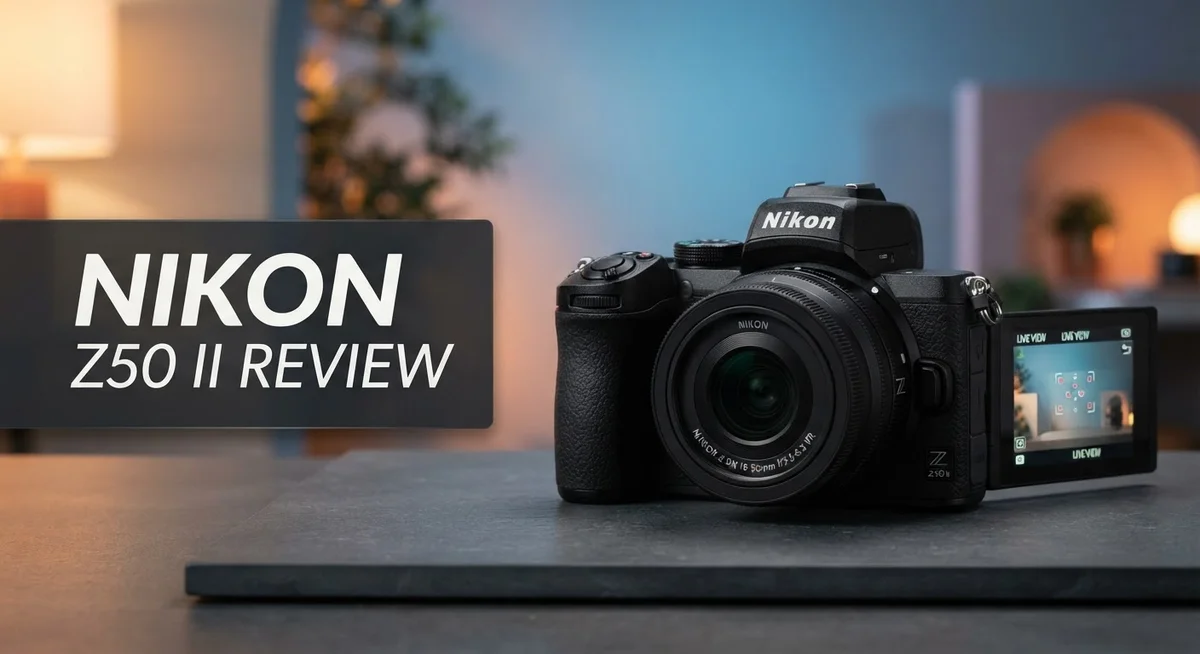
Nikon Z50 II Review 2026: Should You Try This?
Looking for a camera that grows with your skills? The Nikon Z50 II might be your answer. This mirrorless camera packs serious power into a compact body.
Nikon built this camera for beginners and hobbyists alike. It uses the same EXPEED 7 processor found in Nikon’s flagship models.
The 20.9MP APS-C sensor captures sharp, detailed images. You get clean shots even in tricky lighting thanks to the wide ISO range.
Video creators get plenty to cheer about too. The Z50 II shoots 4K/60p footage with 10 bit N Log support. This gives your videos a professional, cinematic look.
This camera competes directly with the Canon R10 and Sony A6400. But does it stand out from the crowd?
Let’s dive into what makes the Nikon Z50 II worth your attention.
In a Nutshell
Here’s what you need to know about the Nikon Z50 II at a glance:
- Autofocus that just works. The camera tracks 9 subject types including people, animals, and vehicles. It locks focus fast and rarely lets go.
- Built like a champ. The body feels solid in your hands. Image quality stays sharp even in tricky light.
- Ready when you are. This camera powers on and responds without delay. You never miss a spontaneous moment.
- Controls that make sense. Buttons and dials are easy to customize. New shooters can learn the layout quickly.
- Video creators get real tools. 4K/60p footage with 10-bit N-Log gives you room to edit and grade like a pro.
- A step up, not a leap. The Z50 II doesn’t match the Z6 III in raw power. But it holds its own against rivals like the Sony ZVE-10 II and A6700.
This camera blends speed, smart autofocus, and friendly handling into one solid package. It suits beginners who want room to grow and hobbyists who want reliable results every time.
Sensor and Image Quality
The 20.9MP APS-C sensor is the heart of what makes the Z50 II deliver clean, punchy images across a wide range of lighting situations. This sensor size sits in the sweet spot for most photographers. You get enough resolution for large prints and cropping flexibility without the bulk of a full-frame camera.
Color rendition stands out as a real strength here. Skin tones look natural and pleasing straight from the camera. Reds and blues pop without looking oversaturated. The EXPEED 7 processor handles all this image processing efficiently, so you spend less time waiting and more time shooting.
Low light performance keeps pace with what you’d expect at this level. The ISO range spans from 100 to 51,200, giving you options when the sun dips low. You can push ISO 3200 or 6400 without losing too much detail. Anything beyond that shows some grain, but it remains usable for web and social media.
Dynamic range handles tricky scenes reasonably well. Bright skies don’t blow out as easily as they do on older entry-level cameras. Shadow detail recovers nicely in post-processing too. This flexibility matters when you’re learning how to expose correctly.
Video capture brings impressive specs to the table. The 4K/60p recording at 10-bit with N-Log gives you serious color grading potential. This means you can shoot flat, washed-out footage and bring it to life in editing software. That’s a feature usually reserved for cameras costing much more.
Autofocus performance ties directly to image quality. The camera locks onto subjects fast and stays locked. You spend zero time chasing focus and all your time composing great shots. This reliability matters whether you’re shooting stills or video.
The sensor and processor combo creates a camera that feels responsive and capable. Files download quickly to your computer. Battery life stretches across a full day of moderate shooting. Everything works together to keep your workflow smooth and your creative energy high.

- Go Beyond Your Phone: Capture lifelike colors and incredible details from dawn to dusk...
- Find Your Aesthetic: At the press of the Picture Control button, choose from 31 built-in...

Last update on 2026-11-13 / Affiliate links / Images from Amazon Product Advertising API
Autofocus and Performance
The autofocus system in the Nikon Z50 II is one of its standout features. The camera uses hybrid autofocus technology that combines phase detection and contrast detection for fast, reliable performance.
Subject detection matters here. The Z50 II recognizes 9 different subject types automatically. It locks onto people, animals, birds, insects, cars, trains, and airplanes with impressive speed. This means you spend less time adjusting settings and more time capturing the shot.
Real world performance is snappy. The autofocus locks on quickly in good light and maintains tracking smoothly as your subject moves. You’ll notice the camera doesn’t hunt for focus like older systems do. The EXPEED 7 processor handles all this computation without lag.
Eye detection works reliably. When you shoot portraits, the camera finds and tracks eyes with remarkable accuracy. This feature alone saves you countless missed shots. Animal eye detection also performs well for wildlife and pet photography.
Low light autofocus remains solid. The system doesn’t struggle as much as you might expect in dim conditions. You can still shoot indoors at events or during golden hour without constant focus misses. Performance does drop in extremely dark situations, but that’s normal for cameras at this level.
Continuous autofocus during video keeps your footage smooth and professional. The camera adjusts focus silently while recording, which is crucial for vlogging and filmmaking. Subject tracking works during video capture too, following your moving subject automatically.
Burst shooting pairs well with autofocus performance. At 30 fps, the camera fires rapidly while maintaining focus accuracy. This combination lets you capture fast action reliably. Sports and wildlife photographers will appreciate this capability.
The autofocus system feels responsive overall. You rarely experience the frustration of missed focus or slow tracking. The camera keeps up with your creative vision without becoming a technical bottleneck. This responsiveness extends to manual focus too. The focus ring is smooth and precise when you want direct control.
Video Capabilities and Recording
The Nikon Z50 II handles video recording with genuine professional capability. You get 4K resolution at 60 frames per second, which means smooth motion capture for everything from vlogs to short films.
H.265 codec support reduces file sizes without sacrificing quality. This matters when you’re storing footage or uploading to the cloud. The 10-bit N-Log color space gives you serious flexibility in post-production. You can grade and color correct without losing detail or introducing banding artifacts.
The EXPEED 7 processor powers all this performance. It processes video data quickly and keeps the camera responsive even during extended recording sessions. You won’t experience lag or dropped frames during critical moments.
Autofocus during video deserves special attention. The camera tracks moving subjects smoothly throughout your recording. This eliminates the need for manual focus adjustments mid-shot. Whether you’re following a subject or panning across a scene, the focus stays locked and smooth.
The touchscreen interface makes video settings easy to adjust on the fly. You can change exposure, white balance, or autofocus modes without digging through menus. The electronic viewfinder displays live information about frame rate, bitrate, and recording time.
Wind noise handling is practical for outdoor recording. The built-in microphone captures decent audio, though external microphones connect easily via the 3.5mm jack. This flexibility lets you upgrade your sound quality whenever needed.
Recording duration is generous. You can shoot continuously without artificial time limits that some cameras impose. Battery life during video recording is solid enough for typical shooting days.
The camera supports both standard and N-Log profiles. This lets beginners shoot with automatic color science, while advanced users access the flat profile for maximum grading control. Both workflows exist side by side, making the Z50 II adaptable to different skill levels.
Heat management keeps the camera stable during extended sessions. You won’t hit thermal limits during typical video projects. This reliability makes the Z50 II dependable for content creators who need consistent performance.
Top 3 Alternatives
Canon EOS M50 Mark II

- 24.1 megapixel (aps-c) cmos sensor with iso 100-25600 (h: 51200).
- digic 8 image processor with auto lighting optimizer.
Last update on 2026-11-13 / Affiliate links / Images from Amazon Product Advertising API
The Canon EOS M50 Mark II brings solid performance to creators who want fast autofocus and reliable video. This camera excels at vlogging with its flip-out screen and clean HDMI output. You get 4K video recording, which matters if you plan to share content online.
The autofocus system tracks subjects smoothly during video. The battery life runs decent for a mirrorless option. Colors come out natural without heavy editing. Beginners appreciate the straightforward menu system.
Sony Alpha a6400

- 20.1MP stacked back illuminated 1" Exmor RS CMOS sensor w/ DRAM, large aperture 24-70mm...
- Enhanced subject capture: wide 425 Phase/ 425 contrast detection points over 84 percent of...
Last update on 2026-11-13 / Affiliate links / Images from Amazon Product Advertising API
The Sony Alpha a6400 stands out for serious autofocus power. It locks onto eyes and faces faster than most competitors. This makes it perfect for portrait work and fast-moving subjects.
You’ll find excellent video stabilization built in. The 4K footage looks crisp and detailed. Battery life is respectable for all-day shooting sessions. The compact body fits easily into bags. One drawback: the learning curve feels steeper for new users. Sony’s menu system requires patience to master.
Fujifilm X-S10

- It’s All About How It Feels: X-S10 has been designed to provide on-the-go photographers...
- Making State-of-the-Art Simple: Designed to be simple and minimalist on the outside, X-S...
Last update on 2026-11-13 / Affiliate links / Images from Amazon Product Advertising API
The Fujifilm X-S10 delivers beautiful colors straight from the camera. You won’t need heavy post-processing. Film simulations mimic classic Fujifilm stock, which appeals to photographers who love analog aesthetics.
The build quality feels premium despite the lightweight design. Autofocus performs well in most conditions. Video capabilities are solid for content creators. Battery life matches other mirrorless cameras in this range. The lens ecosystem offers unique options you won’t find elsewhere. This camera suits artists who value image quality and distinctive looks.
Design, Build Quality, and Ergonomics
The Nikon Z50 II feels solid in your hands from the first moment. The camera body combines lightweight construction with a grip that sits naturally against your palm. Ergonomics matter when you’re shooting for hours, and this camera gets it right.
The magnesium alloy chassis gives you confidence during daily use. You won’t worry about bumps or minor drops. The weather sealing keeps dust and moisture out, so you can shoot in less than perfect conditions without hesitation.
Button placement follows Nikon’s familiar layout. Your thumb lands on the AF button without thinking. The shutter release sits exactly where your index finger expects it. This means less time fumbling and more time capturing moments.
The touchscreen is a real strength here. You can tap to focus, swipe through menus, and adjust settings without hunting through buttons. The electronic viewfinder gives you a clear preview of exposure before you press the shutter. This helps beginners learn faster.
The camera weighs just enough to feel substantial without causing fatigue. Carry it around your neck all day and you won’t feel exhausted by evening. The balance point works well with most lenses, keeping things stable during handheld shooting.
Build quality shows attention to detail. Seams are tight. Controls don’t rattle or feel loose. The lens mount feels sturdy when you attach or remove glass. Everything points to a camera made to last through years of regular use.
Customization options let you arrange buttons and menus your way. Beginners appreciate the straightforward defaults. Advanced users can dive deeper into settings to match their shooting style. This flexibility makes the Z50 II grow with you as your skills improve.
The top plate includes essential information at a glance. ISO, shutter speed, and aperture display clearly. You don’t need to raise the camera to your eye to check your current settings. This saves time during fast paced shooting situations.
Overall, the design philosophy prioritizes ease of use without sacrificing durability. The Z50 II feels like a camera built for photographers who want reliable performance in a package that won’t slow them down.
User Interface and Learning Curve
The Nikon Z50 II presents a user interface that welcomes both newcomers and experienced photographers. The touchscreen works intuitively, responding to your taps and swipes with minimal lag. Menu navigation feels straightforward because Nikon organized options logically rather than burying them in confusing submenus.
Learning the camera takes just a few hours of hands-on time. The button layout follows Nikon’s established design language, so users familiar with other Nikon models recognize the control scheme immediately. Even if you’re completely new to mirrorless cameras, the physical buttons remain within easy reach during shooting.
The electronic viewfinder displays essential information clearly. You see your exposure, focus points, and histogram in real time before you capture the image. This live preview advantage helps beginners understand how their settings affect the final shot, making it an excellent learning tool.
Customization options empower you to arrange controls your way. You can reassign buttons to match your shooting style. This flexibility means the camera adapts to you rather than forcing you into a predetermined workflow. Beginners can keep things simple, while advanced users can unlock deeper functionality through these custom settings.
The autofocus interface deserves special mention. Subject detection modes appear in an easy-to-access menu, and switching between them requires just a few button presses. The camera clearly displays which subject type it’s tracking on screen, so you always know what the camera is doing.
Menu organization follows a consistent pattern throughout the system. Once you learn where video settings live, you’ll find similar logic in photo menus. This consistency reduces frustration during your learning phase.
The learning curve remains gentle because the camera communicates clearly. Feedback appears on screen through icons, status indicators, and preview images. You’re never left guessing whether a setting took effect or what your current configuration means.
The combination of responsive controls, clear feedback, and logical menu structure makes this camera accessible to photographers at any skill level. Beginners gain confidence quickly, while experienced shooters appreciate the depth available when they need it.
Pros and Cons
Pros
- Fast and accurate autofocus with 9 subject detection types catches moving subjects reliably
- 30 fps burst shooting and 4K/60p video with H.265 N-Log give you professional output options
- Responsive performance and quick startup mean you capture moments without delay
- Beginner-friendly controls remain customizable for photographers who want to grow their skills
- Solid build quality and magnesium alloy chassis feel durable during daily use
Cons
- Not positioned as a replacement for higher-end models like the Z6 III if you need advanced features
- Limited native Z mount lens selection compared to Canon and Sony ecosystems at entry level
- Battery life requires extra batteries during extended shooting sessions, especially with video work
Who Should Buy It
The Nikon Z50 II works best for photographers who want to step up from their smartphone or entry-level DSLR. If you shoot casual photos and videos for social media, this camera delivers sharp images and smooth footage without overwhelming you with complexity.
Content creators find real value here. The 4K/60p video with H.265 10-bit N-Log gives you professional output straight from the camera. The touchscreen makes navigation quick during shoots, and the responsive performance means you spend less time waiting and more time creating.
Hobbyist photographers benefit from the fast autofocus with 9 subject detection types. You can track moving subjects, pets, and people reliably. The 30 fps burst shooting captures the perfect moment even when action happens fast. These features let you explore photography without needing expensive equipment upgrades.
Travel photographers appreciate the lightweight design. The camera feels solid without causing arm fatigue during all-day shooting sessions. The battery lasts through extended outings, and the compact body fits easily into bags alongside lenses.
Students and young professionals starting their creative journey find the learning curve gentle. You can pick up the basics in a few hours. The customizable controls let you arrange buttons your way as your skills grow. You’re not locked into one workflow.
This camera is NOT for you if you need advanced features found on higher-end models. The Z6 III offers more resolution and faster performance for demanding professionals. If you already own a collection of Canon or Sony lenses, switching to Nikon means buying new glass.
You should also consider alternatives if you want a larger native lens selection at the entry level. Canon’s R10 and Sony’s A6400 offer different ecosystems with their own strengths.
The Z50 II shines when you want reliability, ease of use, and modern features in one package. It grows with you as your skills develop. Whether you’re documenting daily life or exploring creative projects, this camera gives you the tools to succeed without complexity holding you back.
Final Verdict
The Nikon Z50 II earns its place as a standout choice in the APS-C camera market. It combines sharp image quality with smart automation. This mix makes it a camera you can trust for years.
When you compare it against the Canon R10 or R50, the Z50 II holds its own. Its subject detection autofocus feels more refined. The Sony A6400 and A6700 offer strong competition too, but Nikon’s menu system feels simpler to grasp.
This camera rewards patience and curiosity. You get a tool that grows with your skills. Beginners feel welcomed. Experienced shooters still find room to experiment with custom settings.
The 20.9MP sensor paired with the EXPEED 7 processor gives you clean, detailed images. Colors look natural straight out of the camera. Skin tones render nicely for portrait work.
Video shooters benefit from the same strengths. The 4K/60p capture with N-Log gives editors flexibility. This makes the Z50 II a dual purpose tool for photos and video projects alike.
We recommend this camera to anyone building a long term system. The lens gap compared to Sony exists today. But Nikon continues expanding its Z mount lineup steadily.
If you shoot family events, travel, or creative projects, this camera fits naturally into your routine. It handles fast action and quiet moments with equal confidence.
The Z50 II is not trying to be everything to everyone. It focuses on doing core tasks exceptionally well. Autofocus, ergonomics, and image quality form its foundation.
Think of this camera as a long term investment in your creative journey. It won’t hold you back as you learn. It adapts as your vision sharpens.
For photographers ready to move beyond basic gear, the Z50 II delivers real substance. It stands as one of the strongest options in its class today. Your creative results will speak for themselves.
Frequently Asked Questions
Does the Nikon Z50 II have good autofocus for video?
Yes, the autofocus performs well during video recording. The camera uses 9 subject detection types, which means it tracks faces, eyes, animals, and vehicles smoothly. You get reliable focus even when your subject moves across the frame.
The electronic viewfinder updates in real time, so you see exactly what the autofocus is doing. This helps you adjust composition on the fly without guessing.
Can I use older Nikon lenses on the Z50 II?
You can use older F-mount lenses with an adapter. Nikon sells the FTZ adapter, which lets you mount DSLR lenses onto your Z50 II. Autofocus works with most lenses, though older designs may focus more slowly.
Native Z mount lenses are fewer at the entry level compared to Canon and Sony options. If you already own F-mount glass, the adapter gives you more flexibility right away.
What video formats does the Z50 II record?
The camera shoots 4K video at up to 60 frames per second. It also captures in H.265 codec with 10-bit N-Log, which gives you more color data and flexibility during editing.
You can record in lower resolutions and frame rates too. 1080p and 720p options work well for social media or quick projects. The touchscreen makes it easy to switch between modes.
Is the Z50 II good for beginners?
Absolutely. The controls are customizable, so you start simple and add complexity as your skills grow. The menu system feels logical, and the startup time is quick.
You get a tool that learns with you. Fast autofocus means fewer missed shots while you’re still figuring out composition and exposure.

I’m Lipi, a passionate blogger with a keen interest in artificial intelligence and its applications. On my blog, lipiai.blog, I share information about AI, review different AI tools, and provide helpful guides. My goal is to make AI easy to understand for everyone. I enjoy simplifying complex ideas so that both beginners and tech-savvy folks can learn.